
If you’re still manually sending emails, posting on social media, and chasing leads one by one, you’re losing time you can never get back. Marketing automation tools have changed the game for US businesses of all sizes — from solo founders to enterprise marketing teams. The right software can run your campaigns, nurture leads, and track your results while you focus on higher-priority work.
The good news is that the right marketing automation tools can eliminate that grind entirely, handling the repetitive work automatically so your team can focus on strategy, creativity, and growth.
This guide covers everything you need to know: what these tools do, which ones work best, and how to choose the right fit for your business.
What Are Marketing Automation Tools?
Before comparing platforms and pricing, it helps to understand exactly what marketing automation tools are and what they’re actually designed to do. Marketing automation tools are software platforms that handle repetitive marketing tasks automatically—without you lifting a finger every single time. Instead of manually sending a welcome email every time someone signs up, the software does it for you. Instead of remembering to post on LinkedIn every Tuesday, the tool schedules it automatically.
These platforms typically include features for email campaigns, social media scheduling, lead capture and scoring, CRM integration, reporting, and more. The best marketing automation software connects all these functions in one place, giving you a unified view of your marketing pipeline.
Popular examples used by US businesses include HubSpot, ActiveCampaign, Marketo, Klaviyo, and Mailchimp. Each one has different strengths depending on your industry, team size, and budget.
It’s also worth understanding how modern automation compares to older systems. Generative AI delivers measurably different ROI than traditional automation — and knowing that difference helps you pick the right platform from the start.
How Marketing Automation Tools Save 20+ Hours Weekly
The reason so many US businesses are switching to marketing automation tools comes down to one thing: getting back hours that manual processes quietly steal every week. The math is simple. If you spend two hours a day on tasks that an automation platform could handle — scheduling posts, sending follow-up emails, tagging leads, pulling reports — that’s 10 hours a week. Add in campaign builds, list segmentation, and A/B test setup, and you’re easily looking at 20 or more hours reclaimed every week.
According to HubSpot’s State of Marketing Report, businesses that use marketing automation see a 451% increase in qualified leads.According to HubSpot’s State of Marketing Report, businesses that use marketing automation see significantly higher qualified lead rates and improved marketing efficiency. According to Salesforce’s State of Marketing Report, high-performing marketing teams are 2.1x more likely to use automation as a core part of their strategy.
Here’s where the time savings actually come from when you use marketing automation tools consistently:
- Automated email sequences: Set up a drip campaign once, and the software sends each message at exactly the right time based on user behavior.
- Lead scoring: Instead of manually reviewing every lead, the tool ranks them by engagement so your sales team only focuses on the hottest prospects.
- Social scheduling: Write your posts in bulk, schedule them for the week or month, and let the platform handle publishing.
- Automated reporting: Instead of pulling numbers from five different tools, your dashboard updates in real time.
- Trigger-based workflows: When someone fills out a form, downloads a resource, or visits a pricing page, the system automatically responds — no human needed.
For a small marketing team at a US-based SaaS company, this kind of automation can mean the difference between handling 500 leads a month and handling 5,000.
Real-World Example: What Automation Actually Looks Like
A 12-person SaaS company in Austin, Texas, implemented ActiveCampaign after spending roughly 22 hours per week on manual follow-up emails, lead tagging, and reporting. Within 90 days of going live with automated workflows, they cut that manual work down to four hours per week—an 18-hour weekly saving—while demo bookings increased 27% because leads were being nurtured at the right moment instead of slipping through the cracks.
This isn’t unusual. When automation platforms are set up with a clear strategy behind them, the results compound fast. The time you reclaim in month one gets reinvested into better campaigns, which drive better results in month two.
Key Features to Look for in Marketing Automation Tools
Shopping for marketing automation tools without a feature checklist is like buying a car without checking under the hood — you’ll only notice what’s missing after you’ve already committed. Not all marketing automation software is built the same. Before you commit to a platform, make sure it covers these core capabilities:
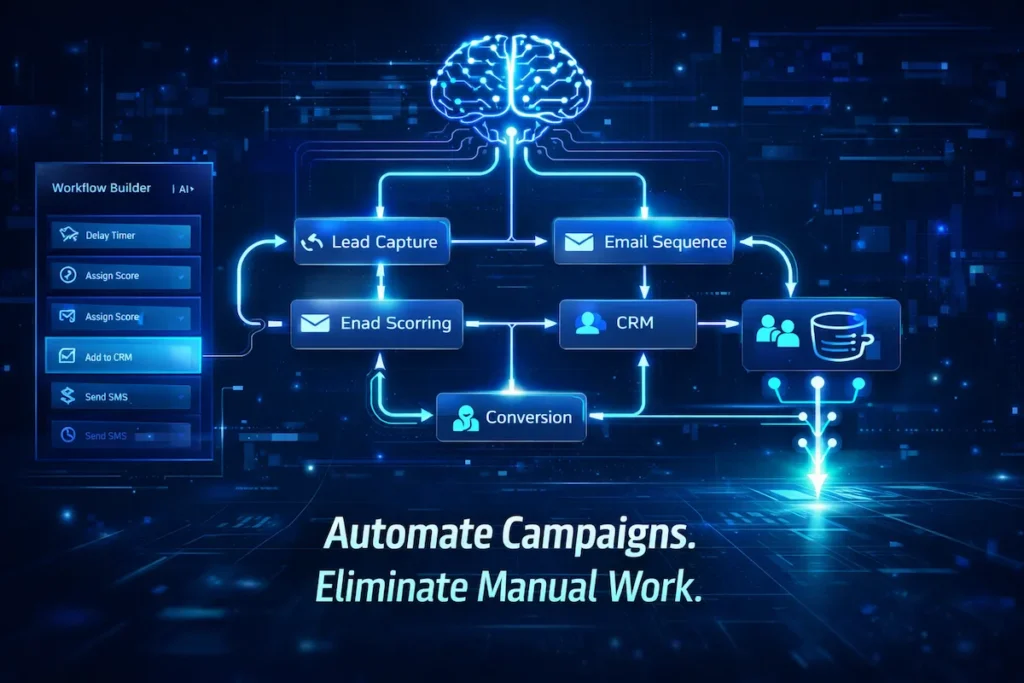
- Visual workflow builder: Drag-and-drop editors make it easy to map out your automation sequences without needing a developer.
- Customer segmentation: The tool should let you split your audience by behavior, location, purchase history, and more.
- Multi-channel support: Look for software that covers email, SMS, social media, and paid retargeting—all from one dashboard.
- CRM integration: Your workflow platform should sync cleanly with your customer relationship management system.
- A/B testing: Built-in split testing helps you improve open rates, click-through rates, and conversions over time.
- Analytics and reporting: Real-time dashboards so you always know what’s working and what isn’t.
- Scalability: The platform should grow with your business, not force you to migrate when you add 10,000 new contacts.
If you’re a smaller operation, pairing automation with AI-powered data analytics can give you enterprise-level insight without the enterprise price tag—helping you make smarter decisions about which workflows to build first.
Best Marketing Automation Tools for Small to Large Businesses
The best marketing automation tools for a 5-person startup look very different from what a 500-person enterprise needs — so matching the platform to your stage matters more than chasing the biggest brand name.
Tool Comparison at a Glance
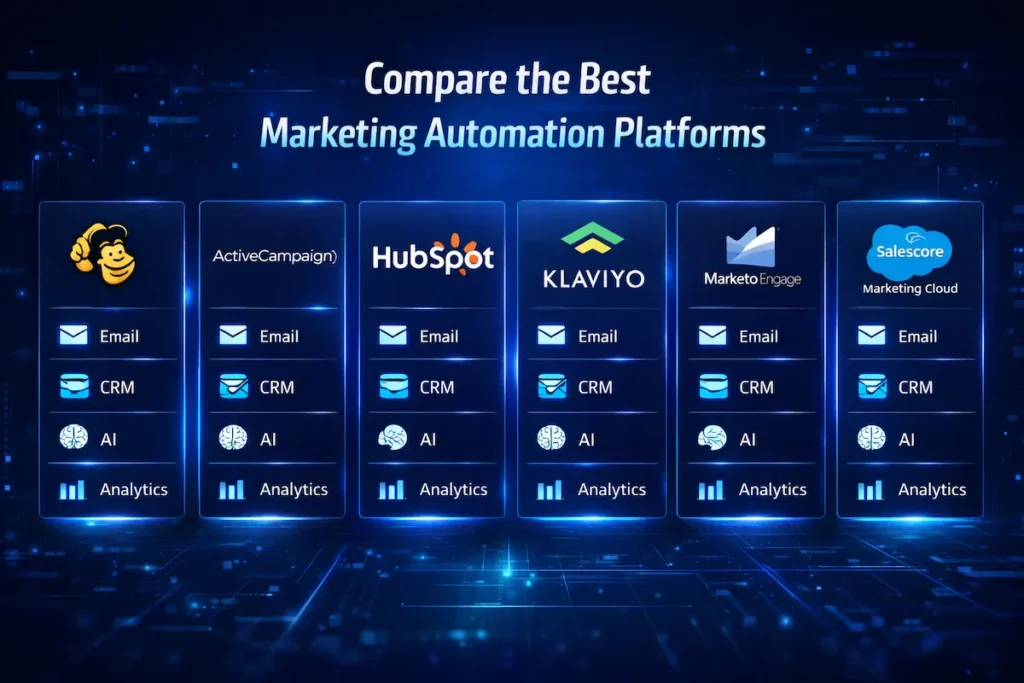
| Tool | Best For | Starting Price | CRM Included | AI Features |
|---|---|---|---|---|
| Mailchimp | Beginners, small lists | Free / $13 per month | Basic | Limited |
| ActiveCampaign | SMBs, email-first teams | $15 per month | Yes | Yes |
| HubSpot | Mid-size businesses, all-in-one marketing | $800 per month (Marketing Hub) | Yes | Yes |
| Klaviyo | E-commerce brands | Free / $20 per month | Basic | Yes |
| Marketo Engage | Enterprise-level marketing teams | Custom pricing | Via Adobe | Advanced |
| Salesforce Marketing Cloud | Large enterprises, complex organizations | Custom pricing | Yes (Salesforce) | Advanced |
For small businesses and startups (under 50 employees), Mailchimp and ActiveCampaign are solid starting points. Mailchimp is beginner-friendly and free for up to 500 contacts. ActiveCampaign gives you more advanced email automation and CRM features at a price most small teams can afford.
For mid-size businesses, HubSpot is one of the most popular all-in-one automation platforms in the US. It combines email marketing, lead management, social media scheduling, and CRM in a single interface. It’s not cheap, but the time savings justify the investment for most teams.
For enterprise-level organizations, Marketo Engage (from Adobe) and Salesforce Marketing Cloud are industry leaders. They offer deep customization, robust integrations, and advanced AI-driven personalization — but they come with a steeper learning curve and higher price tags.
For e-commerce businesses, Klaviyo stands out as one of the best tools available. It integrates directly with Shopify, BigCommerce, and WooCommerce and specializes in behavior-triggered campaigns that convert.
Marketing Automation Tools for Different Use Cases
One of the biggest advantages of modern marketing automation tools is that they’re not one-size-fits-all — the right platform shapes itself around how your specific business actually runs.
Email Marketing Automation
Email remains one of the highest-ROI marketing channels for US businesses, according to HubSpot’s marketing statistics research, and automation makes it even more powerful. Instead of blasting the same message to your entire list, you can build personalized drip campaigns that respond to what each subscriber actually does.
For example, when someone downloads your free guide, an automated welcome sequence fires immediately. If they open three emails but never buy, a re-engagement workflow kicks in. If they abandon their cart, a recovery email goes out within 60 minutes automatically. According to Omnisend, automated email campaigns generate 320% more revenue per email than non-automated ones. Platforms like ActiveCampaign, Klaviyo, and ConvertKit excel at this kind of behavior-based email marketing automation.
Social Media Automation
Social media automation takes one of the most time-consuming daily tasks off your plate without letting your brand go quiet online. Managing social media manually across LinkedIn, Instagram, Facebook, and X (formerly Twitter) is exhausting. Automation platforms like Buffer, Hootsuite, and Sprout Social let you schedule posts weeks in advance, monitor brand mentions, and track engagement analytics — all from one place.
These tools won’t replace authentic community engagement, but they eliminate the daily grind of remembering to post consistently. Some platforms even suggest the best posting times based on when your audience is most active.
Lead Generation & CRM Automation
Lead generation and CRM automation is where marketing automation tools stop being a convenience and start being a serious revenue driver. Marketing automation tools shine brightest when it comes to lead generation and CRM workflows. You can set up landing pages that automatically add leads to your CRM, assign them a lead score based on their activity, and route hot leads directly to your sales team.
HubSpot and Zoho CRM are popular choices for US businesses that want tight CRM automation. Once a contact hits a certain lead score — say they’ve visited your pricing page three times and downloaded two resources — the system can automatically send a personalized email or notify a sales rep to follow up. Pairing this with AI tools built for digital marketers makes your lead generation engine even sharper.
E-commerce Marketing Automation
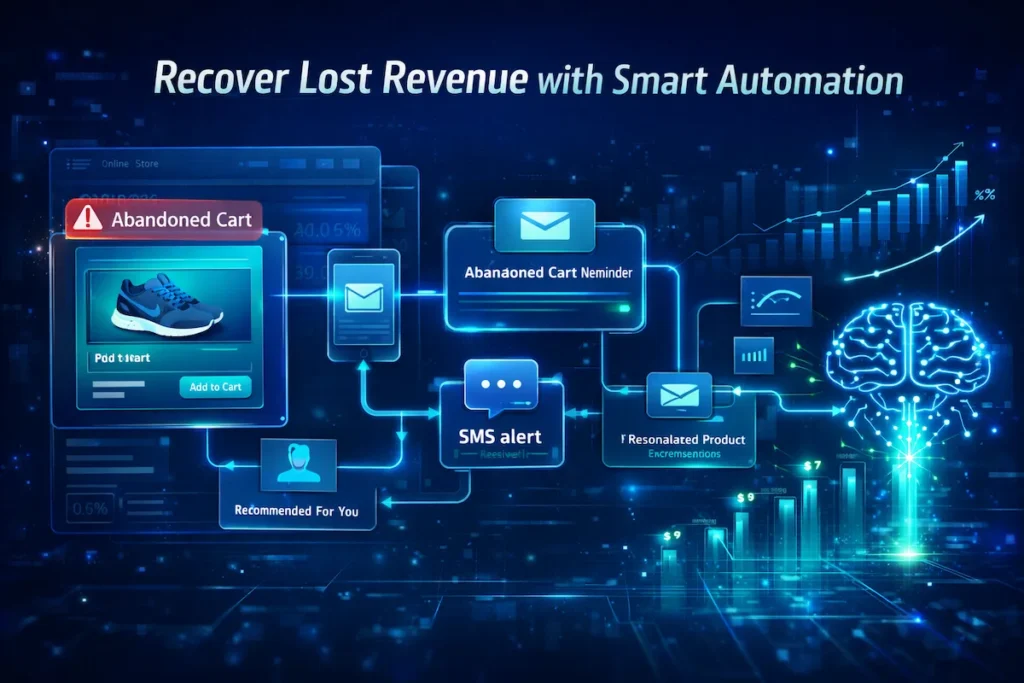
For online stores, e-commerce marketing automation is the difference between a revenue engine that runs while you sleep and one that stalls every time your team logs off. E-commerce brands have some of the best use cases for automation. Abandoned cart emails, post-purchase follow-ups, loyalty program triggers, win-back campaigns, and product recommendation emails can all run without a human touching them.
Klaviyo is widely considered the gold standard for e-commerce marketing automation in the US. Brands using Shopify can connect in minutes and start triggering personalized emails and SMS messages based on real purchase behavior. Data from Klaviyo’s own platform benchmarks show that abandoned cart flows alone recover between 5 and 15% of otherwise lost revenue for the average e-commerce store.
Pros and Cons of Marketing Automation Tools
Like any serious business investment, marketing automation tools come with real advantages and a few genuine trade-offs worth knowing before you sign up. No platform is perfect. Here’s an honest look at what you get — and what you give up — when you invest in automation software.
Pros:
- Massive time savings — most teams reclaim 10–25 hours per week once workflows are set up properly.
- Better lead nurturing — automated sequences keep prospects engaged without requiring manual follow-up.
- Consistent customer experience — your messaging stays on-brand and timely, every time. This is especially critical in SaaS, where AI-driven customer experience is now a baseline expectation.
- Improved marketing ROI — data-driven decisions replace guesswork.
- Scalability — handle 10x the leads without hiring 10x the staff.
Cons:
- Setup takes time — building effective workflows isn’t instant. Expect 2–4 weeks to get things running smoothly.
- Learning curve — more powerful platforms like Marketo or Salesforce Marketing Cloud require real training.
- Cost — enterprise-level tools can run $800–$3,000+ per month.
- Over-automation risk — if you automate too aggressively, your outreach can feel cold and impersonal.
How to Choose the Right Marketing Automation Tool
With dozens of options on the market, choosing the right marketing automation tool comes down to being honest about your goals, your team’s capacity, and what you actually need right now versus six months from now. Choosing the right automation system isn’t about picking the most popular option — it’s about finding the right fit for your specific situation. Here’s a practical framework:
Start with your goals. Are you trying to improve email open rates, increase lead conversion, reduce manual tasks, or scale a growing e-commerce store? Your primary goal will point you toward the right category of tool.
Consider your budget honestly. If you’re a small business spending $200/month on software, HubSpot’s full suite may be out of reach. ActiveCampaign or Mailchimp will give you solid workflow automation at a fraction of the cost.
Check your tech stack. The best automation software integrates cleanly with what you’re already using — your CRM, e-commerce platform, helpdesk, and ad accounts. Poor integrations mean manual workarounds, which defeats the whole purpose.
Look for a free trial. Most leading platforms offer a 14–30 day trial. Use it to test the workflow builder, check email deliverability, and see how the reporting actually feels in practice.
Don’t over-engineer. Many businesses buy enterprise-tier platforms and only use 20% of the features. Start with a tool that fits your current needs, and upgrade as you grow.
Common Mistakes Businesses Make with Marketing Automation
Even the best marketing automation tools produce poor results when the strategy behind them is weak — and these are the mistakes that cause most US businesses to underperform. Automation platforms are only as good as how you use them. These are the most common mistakes US businesses make — and how to avoid them:
- Automating before you have a strategy: Automation amplifies what you’re already doing. If your messaging is unclear, the system just spreads the confusion faster.
- Ignoring list hygiene: Sending automated emails to a stale, unengaged list tanks your deliverability. Clean your list at least quarterly.
- Set-it-and-forget-it mentality: Automation isn’t truly passive. Review your workflows every 90 days and optimize based on real data.
- Over-automating touchpoints: If every customer interaction feels robotic, you’ll lose trust. Mix automation with genuine human moments.
- Not training your team: The best platform in the world won’t save you time if nobody knows how to use it properly.
- Overlooking data security: As you automate more customer touchpoints, protecting that data matters. If your business operates across multiple environments, it’s worth understanding how to secure data in multi-cloud setups before scaling your automation stack.
Future of Marketing Automation (AI & Predictive Automation)
The future of marketing automation tools isn’t just about doing the same tasks faster — it’s about platforms that think, predict, and personalize in ways that rule-based systems never could. The next generation of marketing automation tools is already here — and it’s powered by artificial intelligence. AI-driven platforms can now predict which leads are most likely to convert, automatically personalize email content based on individual browsing history, and optimize send times for each contact individually.
According to McKinsey’s State of AI report, companies that use AI-powered personalization in marketing generate significantly higher revenue from those activities than companies that do not. Predictive analytics built into HubSpot AI, Salesforce Einstein, and Klaviyo’s AI features are helping US marketers move beyond rule-based workflows into genuinely intelligent systems. Instead of “if the user opens an email, send a follow-up,” AI can say “this contact has an 87% probability of converting in the next two weeks — here’s the optimal message.”
Conversational AI is also changing how businesses capture and qualify leads. AI-powered chatbots now handle initial lead qualification around the clock, feeding warm prospects directly into your automation workflows without a sales rep lifting a finger.
The brands winning in 2025 and beyond will be the ones that combine solid marketing automation tools with AI-driven personalization — creating customer experiences that feel human but scale like machines.

FAQs About Marketing Automation Tools
Here are the most common questions US businesses ask before investing in marketing automation tools — answered directly.
What is the best marketing automation tool for small businesses?
For most small US businesses, ActiveCampaign or Mailchimp are the best starting points. They offer powerful email automation, basic CRM features, and pricing plans that won’t break the budget. As you scale, you can move to HubSpot or Klaviyo depending on your industry.
How long does it take to set up marketing automation?
Basic automations — like a welcome email sequence or an abandoned cart workflow — can be live in a few hours. More complex multi-step workflows with lead scoring and CRM integration typically take 2–4 weeks to build and test properly.
Are marketing automation tools worth the cost?
Yes, for most businesses. The time savings alone justify the expense. If your automation platform saves a full-time employee even 10 hours per week, the ROI calculates itself quickly. Most US companies report higher lead conversion rates and better customer retention after implementing solid automation workflows.
Can marketing automation tools replace my marketing team?
No. These platforms handle repetitive, rule-based tasks. They can’t replace the strategic thinking, creative work, or genuine relationship-building that great marketers do. Think of them as a force multiplier — your team gets more done, not replaced.
What’s the difference between email marketing software and marketing automation tools?
Email marketing software focuses specifically on sending emails. Marketing automation tools are broader platforms that cover email plus CRM integration, lead scoring, social media scheduling, workflow triggers, and multi-channel campaign management. Most modern platforms include email as one feature among many.
Do I need a developer to use marketing automation software?
Not for most major platforms. Tools like HubSpot, Mailchimp, and ActiveCampaign are designed for marketers, not developers. You’ll use drag-and-drop builders and visual workflow editors. That said, advanced integrations and custom API connections may require technical help.
Is my customer data safe inside these platforms?
Reputable platforms maintain strong compliance standards (SOC 2, GDPR, CCPA). That said, as your automation stack grows, so does your data footprint. It’s worth reviewing your overall data security posture — especially if you’re operating across cloud environments.
Final Verdict: Are Marketing Automation Tools Worth It?
After looking at the features, the costs, the use cases, and the mistakes, the honest answer is yes — marketing automation tools are worth it for the vast majority of US businesses that implement them with a clear plan. Absolutely — if you implement them the right way. Marketing automation tools are not a magic button. They require upfront investment in time and strategy. But once your workflows are live, the returns compound. You send more relevant messages, at better times, to better-segmented audiences, without adding headcount.
For US businesses trying to compete in crowded markets, automation isn’t a nice-to-have anymore — it’s a competitive necessity. Whether you’re a solo founder trying to stay on top of leads or a marketing director managing a team, the right platform gives you back the one resource you can never buy more of: time.
Start small. Pick one problem to solve — maybe it’s your welcome email sequence or your social media posting schedule. Get that workflow running and measure the results. Then expand from there. Within a few months, you’ll wonder how you ever ran your marketing without it.