

Your phone is already your most-used work device. But without the right AI tools for mobile productivity, you’re probably leaving a lot of time and energy on the table. Whether you’re a freelancer juggling clients, a student managing deadlines, or a professional keeping up with meetings and emails—this guide covers the best tools, what they actually do, how to pick the right ones, and what to avoid.
What Are AI Tools for Mobile Productivity?
AI tools for mobile productivity are apps that use artificial intelligence to help you get more done on your phone—faster and with less effort. They can write content, transcribe meetings, summarize documents, manage tasks, and automate repetitive work, all from your pocket.
These aren’t just upgraded versions of regular apps. They learn from context, understand natural language, and adapt to how you work. That’s a fundamentally different experience from traditional smartphone apps, and it’s why more US professionals are making the switch.
How AI tools for mobile productivity work on smartphones
Most AI tools for mobile productivity rely on large language models (LLMs) or machine learning algorithms running either in the cloud or directly on your device. When you type a prompt, upload an audio file, or ask for a summary, the app processes your request and returns a useful response in seconds.
Modern smartphones — both Android and iOS — are powerful enough to handle basic on-device AI tasks. For heavier work like real-time transcription or document analysis, most apps offload processing to the cloud. The result is fast, increasingly accurate, and personalized output right on your phone.
Difference between traditional apps and AI tools for mobile productivity
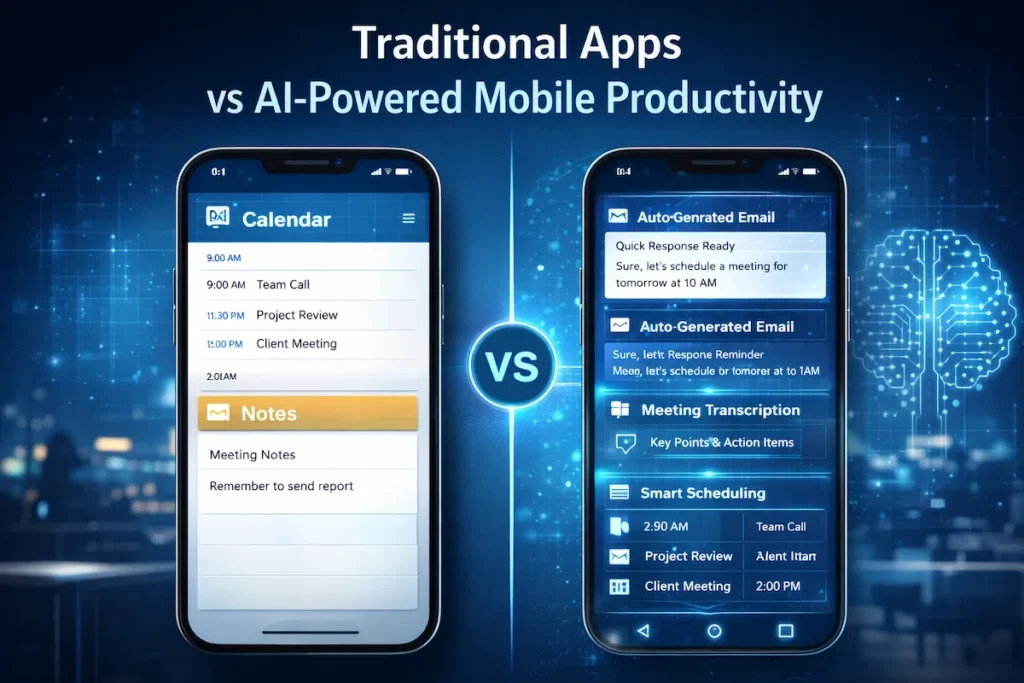
Traditional smartphone apps are rule-based. A calendar app creates events. A notes app saves text. They do exactly what you tell them—nothing more.
AI tools for mobile productivity go further. They understand context. They turn a messy voice note into a structured task list. They read an email thread and draft a smart reply. They adapt to you rather than waiting for you to adapt to them. That gap is why AI-powered mobile apps are replacing basic utility apps for serious users.
Why AI Tools for Mobile Productivity Matter for U.S. Mobile Users
AI tools for mobile productivity are no longer a nice-to-have—they’re quickly becoming a professional standard. Americans spend an average of 4+ hours a day on their phones, and a large chunk of that is work-related: checking emails, joining calls, and reviewing documents. Without the right tools, that time is fragmented and inefficient.
Daily productivity problems solved by AI tools for mobile productivity
Here are real problems that mobile productivity apps powered by AI help you fix every day:
- Forgetting action items from meetings → AI transcription tools capture and organize them automatically.
- Wasting time on email replies → AI writing tools draft responses in seconds.
- Struggling to focus → AI scheduling tools prioritize your most important tasks.
- Losing track of notes → AI note apps organize and surface the right information when you need it.
- Slow research: AI chat tools give you quick, accurate answers on the go.
Each of these problems costs real time. AI tools for mobile productivity don’t just save a few minutes here and there—they can reclaim hours every week. If you’re already exploring how AI fits into broader digital strategy, this breakdown of how generative AI is reshaping SEO and content intent in 2026 shows just how wide the impact runs.
How AI tools for mobile productivity save time and reduce stress
When you stop doing manually what a smartphone productivity tool can handle, you reduce mental load. You’re not holding everything in your head. You’re not rewriting the same type of email for the 50th time. You’re not scrambling to find what was decided in your last meeting.
AI automation tools built into mobile apps handle the small stuff so you can focus on work that actually requires your judgment. For freelancers and remote workers especially, that shift can feel like having a part-time assistant—without the cost. Speaking of cost, if you’re weighing whether AI tools actually pay off, this comparison of generative AI ROI versus traditional automation breaks down the numbers clearly.
Best AI Tools for Mobile Productivity
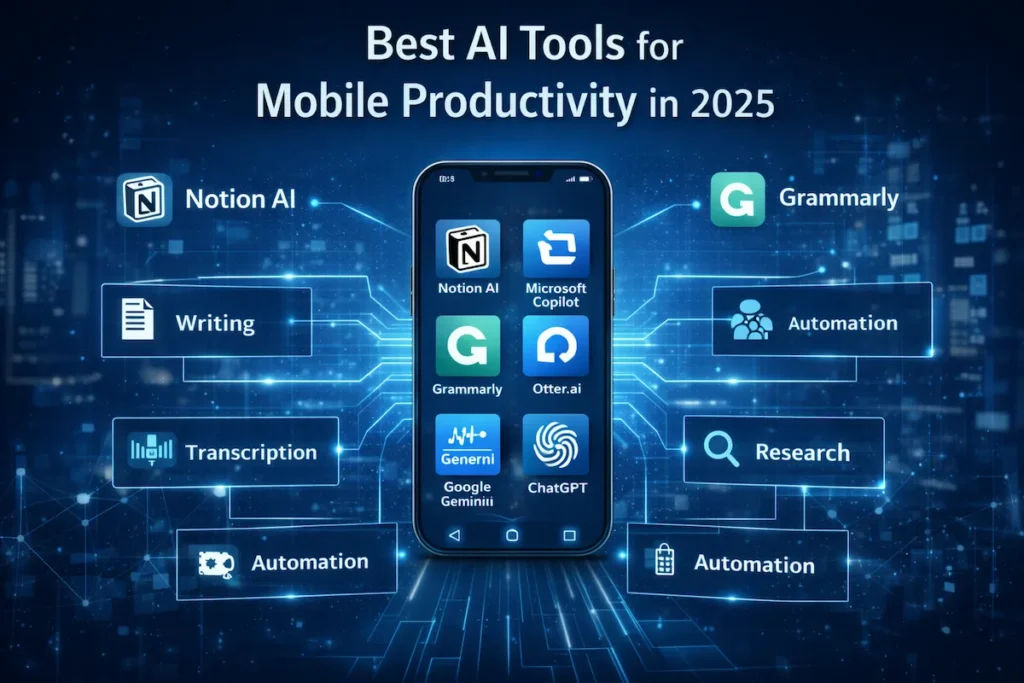
These are the top AI-powered mobile apps that US users rely on in 2025. Each one solves a specific productivity problem—and most work across both Android and iOS. AI tools for mobile productivity span a wide range of use cases, so we’ve covered the best options across writing, meetings, research, and task management.
Notion AI for mobile productivity
Notion is already one of the most popular mobile productivity apps for professionals and students, and Notion AI builds on that foundation with built-in writing and planning assistance. Notion AI layers on top of it, letting you generate summaries, create outlines, auto-fill databases, and ask questions about your own notes — all on mobile.
On your phone, Notion AI is especially useful for quickly capturing ideas and having the AI organize them into structured notes or project plans. If you use Notion as your second brain, the AI version makes it significantly smarter.
Real scenario: If you’re a freelance content writer managing five or more clients, Notion AI can take your rough meeting notes and automatically generate a weekly content calendar — saving you 30 to 60 minutes of manual planning every week.
Who should NOT use this: If you need a lightweight, single-purpose app, Notion’s full feature set can feel overwhelming. It works best for people who already have (or want) a centralized workspace.
Best for: Writers, project managers, students, and knowledge workers. Pricing: Free plan available; Notion AI add-on starts at $10/month.
Microsoft Copilot as an AI tool for mobile productivity
Microsoft Copilot is one of the most capable AI productivity tools on mobile right now. It integrates directly with Microsoft 365 — Word, Excel, Teams, Outlook — making it a natural fit for professionals already working in that ecosystem.
On your phone, Copilot can draft emails, summarize long documents, prep you for meetings, and generate content inside the apps you already use. As an AI tool for mobile productivity, it stands out because it fits into your existing workflow instead of creating a new one.
Real scenario: A sales manager heading into a quarterly review can ask Copilot to summarize the last three weeks of email threads and flag pending action items — before they even walk into the room.
Who should NOT use this: If you’re not using Microsoft 365, Copilot’s value drops significantly. It’s not the best standalone assistant for non-Microsoft users.
Best for: Corporate professionals, enterprise teams, Microsoft 365 users. Pricing: Free version available; Microsoft 365 Copilot requires a business subscription.
Grammarly Keyboard for mobile productivity
Grammarly’s mobile keyboard is one of the most practical AI-powered mobile apps for anyone who writes on their phone. It checks grammar, tone, clarity, and style in real time across every app: email, Slack, WhatsApp, LinkedIn, and more.
What makes it an effective AI tool for mobile productivity is that it works passively. No copy-pasting, no switching apps. It catches mistakes and suggests better phrasing as you type, saving editing time and making your communication look more polished.
Real scenario: A customer success manager responding to 40+ messages a day can catch tone issues and grammar mistakes before hitting send—without slowing down their workflow at all.
Who should NOT use this: If you primarily communicate verbally or in very casual internal chats, Grammarly may feel like overkill. It adds the most value in professional written communication.
Best for: Professionals, students, customer-facing roles, anyone writing frequently on mobile. Pricing: Free; Grammarly Premium starts at $12/month.
Otter.ai as an AI tool for mobile productivity
If meetings dominate your schedule, Otter.ai is one of the most valuable AI tools for mobile productivity you can put on your phone. It records audio and transcribes it in real time, then automatically generates summaries with action items.
The mobile app lets you record in-person meetings, interviews, lectures, and voice notes. After recording ends, you get a clean, searchable transcript within minutes.
Real scenario: A project manager running three client calls a day no longer needs to take manual notes. Otter captures everything, highlights decisions, and lists next steps—so they can actually focus on the conversation instead of furiously typing.
Who should NOT use this: If your meetings are sensitive or under NDA, check Otter’s data policy before uploading recordings. It’s not the right fit for highly confidential discussions without enterprise-level controls.
Best for: Remote workers, students, journalists, managers, researchers. Pricing: Free plan (600 minutes/month); Pro plan at $16.99/month.
Google Gemini for Android mobile productivity
Google Gemini is built into Android and stands out as one of the most capable AI tools for mobile productivity for Android users in particular. It helps you draft messages, search contextually, analyze images, summarize YouTube videos, and much more.
What sets Gemini apart as a smartphone productivity tool is its deep Google Workspace integration — Gmail, Docs, Drive, Calendar. If you live in Google’s ecosystem, Gemini is the most seamless AI productivity tool available on Android. iOS users can download the app too, though some integrations are more limited.
Real scenario: A small business owner can ask Gemini to pull together a summary of their last five customer emails, draft a follow-up response, and schedule a reminder — all without leaving their phone.
Who should NOT use this: Heavy Apple ecosystem users may find Gemini less integrated compared to what Apple Intelligence offers natively on newer iPhones.
Best for: Android users, Google Workspace users, small business owners. Pricing: Free; Gemini Advanced included with Google One AI Premium at $19.99/month.
ChatGPT mobile app for productivity tasks
ChatGPT’s mobile app is one of the most versatile AI tools for mobile productivity available on both Android and iOS. It handles writing, research, brainstorming, code, document summaries, and much more — through a simple conversational interface.
The voice mode is especially useful when you’re on the move and don’t want to type. Ask it to draft an email, explain a concept, or outline a project — hands-free.
Real scenario: A freelance marketer can use ChatGPT on mobile to brainstorm a full month of social media content ideas during a commute, then paste the best ones directly into their scheduling tool. For deeper context on how AI fits into content workflows like this, check out this guide on AI in content marketing workflows for 2026.
Who should NOT use this: If you need deep integrations with specific work apps (like Outlook or Google Docs), a more native tool like Copilot or Gemini may suit you better.
Best for: Freelancers, students, content creators, developers, generalist users. Pricing: Free (GPT-4o with usage limits); ChatGPT Plus at $20/month.
Quick Comparison: Best AI Tools for Mobile Productivity
| Tool | Best For | Platform | Free Plan | Starting Price |
|---|---|---|---|---|
| Notion AI | Planning, notes, writing | iOS & Android | Yes | $10/month (AI add-on) |
| Microsoft Copilot | Enterprise, Microsoft 365 | iOS & Android | Yes | Business subscription |
| Grammarly Keyboard | Writing, communication | iOS & Android | Yes | $12/month |
| Otter.ai | Meetings, transcription | iOS & Android | Yes | $16.99/month |
| Google Gemini | Android, Google Workspace | iOS & Android | Yes | $19.99/month |
| ChatGPT | General tasks, content | iOS & Android | Yes | $20/month |
How to Choose the Right AI Tools for Mobile Productivity
With so many options, picking the right AI tools for mobile productivity comes down to three things: what platform you’re on, how much you want to spend, and how sensitive your data is.
Android vs iOS compatibility in AI tools for mobile productivity
Most top AI tools for mobile productivity run on both platforms, but differences exist. Google Gemini is more deeply embedded in Android. Apple Intelligence is exclusive to iOS 18+ on newer iPhones. Tools like Otter.ai and Grammarly work identically on both.
If you’re on Android, check compatibility with your version before downloading. If you’re on iOS, look for apps that support Shortcuts or the Action Button on newer iPhones for a smoother experience. Platform fit matters more than it used to, now that native AI features are baked into the OS itself.
Free vs paid AI tools for mobile productivity
Most AI tools for mobile productivity offer solid free tiers—and for casual use, they’re often good enough. Grammarly, Otter.ai, ChatGPT, and Notion AI all let you test before committing.
If you use these tools daily for professional work, paid plans are worth it. You get higher limits, more capable models, and better integrations. A simple rule: if a $15/month tool saves you five hours a month, it pays for itself in under an hour of your time. For businesses evaluating ROI more broadly, this analysis of AI-powered data analytics for small businesses provides a useful framework for thinking about AI investment.
Privacy and security in AI tools for mobile productivity
Privacy is a real concern with AI productivity tools. Most apps process your data through cloud servers. Before using any tool for sensitive work, read the privacy policy carefully.
Ask yourself: Does the app train on your data? Is it encrypted in transit and at rest? Does it comply with US data protection standards? Tools like Microsoft Copilot (enterprise tier) and Notion AI offer business-grade security controls. If you handle client data regularly, these details are non-negotiable.
Benefits of Using AI Tools for Mobile Productivity
Speed and efficiency with AI tools for mobile productivity
The most direct benefit of AI tools for mobile productivity is speed. Tasks that used to take 20 minutes — drafting an email, summarizing a document, organizing notes — now take under two minutes. Across a full workweek, that adds up to hours reclaimed.
Smartphone productivity tools also reduce app-switching friction. Instead of jumping between five different apps, you can research, draft, and schedule from one or two AI-powered mobile apps.
Better focus using AI tools for mobile productivity
One underrated advantage of AI tools for mobile productivity is that they protect your focus. When you trust your AI assistant to handle note-taking or scheduling, you stop mentally juggling those tasks. Your brain has more bandwidth for the work that actually matters.
Tools like Notion AI and Microsoft Copilot reduce cognitive load by keeping your information organized and surfacing the right content at the right time. You spend less time searching and more time executing.
Automation advantages of AI tools for mobile productivity
AI automation tools on mobile go beyond simple reminders or fill-in-the-blank templates. They can draft full emails from a short prompt, auto-populate meeting agendas, flag priority tasks based on your calendar, and respond to routine messages on your behalf.
This kind of automation is also transforming how businesses handle customer interactions. If you’re curious how AI automation works at the SaaS level, this overview of AI for customer experience in SaaS shows what’s already possible — and what’s coming next.
Limitations and Risks of AI Tools for Mobile Productivity
These tools are powerful, but they’re not without drawbacks. Here’s what you need to know before going all-in.
Data privacy concerns in AI tools for mobile productivity
Most AI tools for mobile productivity send your data to cloud servers for processing. That’s fine for general personal use. For sensitive legal, financial, or medical work, it’s a real risk worth taking seriously.
Always check the privacy policy before using a new tool professionally. Look for end-to-end encryption, on-device processing options, and clear data retention policies. Enterprise plans from Copilot and Notion AI offer stronger controls if you need them.
Overdependence on AI tools for mobile productivity
There’s a genuine risk in relying too heavily on AI productivity tools. If the AI always drafts your emails, your own writing skills can weaken. If you only read AI summaries instead of source material, you’ll eventually miss important context.
Use AI tools for mobile productivity as a support layer, not a replacement for judgment. The best results come when you stay actively engaged with the output — editing, questioning, and improving it — rather than accepting it blindly.
Performance and battery impact of AI tools for mobile productivity
Some AI-powered mobile apps are resource-heavy. Tools that run continuous background processes — like live transcription or real-time grammar checking — drain battery faster than standard apps.
If your phone is running hot or battery life is suffering, check which smartphone productivity tools are active in the background. Most apps have settings to limit background activity. This matters especially if you’re working remotely without reliable access to a charger.
Future of AI Tools for Mobile Productivity
On-device AI and mobile productivity
One of the most significant shifts happening in AI tools for mobile productivity is the move toward on-device processing. Apple Intelligence and Google’s Gemini Nano both run AI models directly on the phone’s chip — no internet connection needed.
This matters for two clear reasons: speed and privacy. On-device AI responds faster with no cloud round-trip, and your data stays on your phone. As smartphone chips continue to improve, expect more AI productivity tools to offer offline-capable, on-device options as a default rather than a premium feature.
AI agents and automation in mobile productivity
The next evolution of AI tools for mobile productivity isn’t just answering questions — it’s AI agents that take multi-step actions on your behalf. Picture this: an AI that drafts your email, schedules the follow-up meeting, adds the task to your project board, and sets a reminder — all from a single voice command.
Early versions of this are already live in Microsoft Copilot and Google Gemini. Over the next few years, AI automation tools on mobile will function more like proactive assistants managing full workflows, not just responding to one prompt at a time.

Frequently Asked Questions (FAQs)
Are AI productivity apps safe to use?
Most reputable AI tools for mobile productivity use encryption and follow US data privacy standards. That said, you should always review the privacy policy before using any app for sensitive professional work. Enterprise plans from tools like Microsoft Copilot and Notion AI offer stronger data controls for business use.
Do AI mobile productivity tools work offline?
Some do, but most rely on cloud processing for their most powerful features. On-device AI — like Apple Intelligence and Google’s Gemini Nano — works without internet, but with more limited capabilities. Expect offline functionality to expand significantly as smartphone chips get more powerful in the next two to three years.
Which AI tool is best for students?
For most students, Notion AI and Otter.ai are the strongest combination. Notion AI organizes notes, creates study outlines, and summarizes content. Otter.ai transcribes lectures in real time so you can stay present instead of frantically typing. Both have free plans that work well for student budgets.
Are paid AI productivity tools worth the money?
For casual use, free tiers are often enough. For daily professional use, paid plans pay for themselves quickly. If a $15–$20/month tool saves you even three to four hours a month, the math works in your favor. The key is making sure you actually use the tool consistently enough to see the return.
Which AI mobile tool is best for freelancers?
ChatGPT’s mobile app is the most versatile option for freelancers — it handles writing, research, brainstorming, client emails, and content planning in one place. Grammarly running in the background adds a layer of polish to all your written communication at no extra effort. Together, they cover the majority of day-to-day freelance productivity tasks.
Can AI tools for mobile productivity help with content marketing?
Absolutely. Tools like ChatGPT and Notion AI are widely used for ideation, drafting, and editorial planning on mobile. For a deeper look at how AI fits into full content workflows, this guide on AI in content marketing workflows for 2026 is worth reading alongside this one.
Final Verdict – Are AI Tools for Mobile Productivity Worth It?
Yes — but only when you choose intentionally and use them consistently.
If you spend significant time on your phone for work, study, or freelance projects, AI tools for mobile productivity offer a real competitive advantage. They handle tedious tasks faster, keep you organized, and reduce the mental overhead of managing complex information on a small screen.
Start with one or two tools that directly address your biggest pain point. If meetings are your biggest time sink, start with Otter.ai. If writing slows you down, Grammarly or ChatGPT will make an immediate difference. If you’re already in the Microsoft or Google ecosystem, Copilot or Gemini will slot in with almost no learning curve.
The goal isn’t to collect as many AI productivity tools as possible. It’s to work smarter from wherever you are — and get your time back.