
Written and reviewed by the TechieMobiles editorial team · Last updated September 2026
Key platform and processing claims are checked against current manufacturer documentation where available. AI features, pricing, and availability change frequently — see the note at the end of this guide.
Quick Answer: What Is an AI Phone?
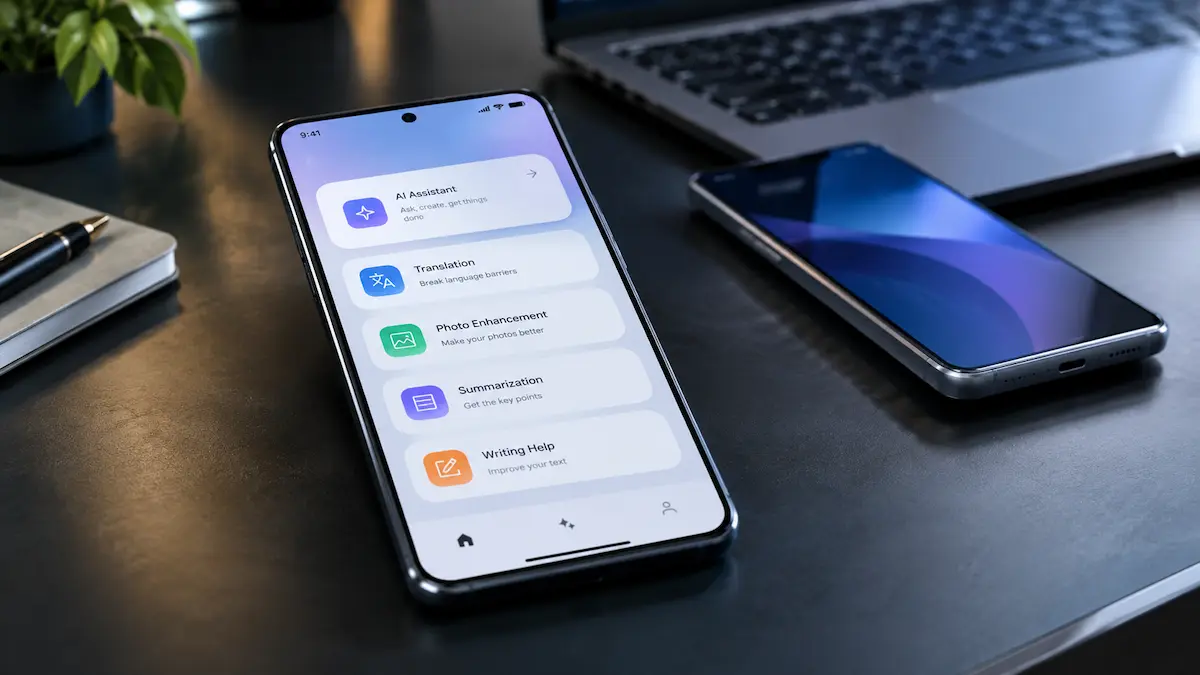
AI phones 2026 are smartphones that place a significant emphasis on AI capabilities across their hardware, software, or user-facing features. These can include photo enhancement, translation, transcription, summarization, search, and generative assistance. Some AI capabilities run directly on the phone, some rely on cloud processing, and many use a hybrid approach. There is no universal industry definition of an “AI phone,” so the actual capabilities matter more than the label.
What Makes an AI Phone Different From a Regular Phone?
Machine learning has been part of smartphones for years — camera scene detection, face recognition, spam filtering, and keyboard prediction all predate the “AI phone” label. What’s newer is smartphones exposing more advanced generative and AI-assisted capabilities directly to users, often backed by dedicated hardware and models optimized for local processing.
What Actually Makes a Phone an “AI Phone”?
It’s useful to think of it as four layers:
Hardware — CPU, GPU, and often a dedicated AI accelerator (commonly an NPU), plus the image processor and memory that support AI workloads. Qualcomm, for instance, describes its AI Engine as heterogeneous computing across its Hexagon NPU, Adreno GPU, CPU, and Sensing Hub, illustrating that AI workloads can use multiple parts of the platform rather than the NPU alone.
Model — the AI model doing the work, which may be designed for on-device execution, cloud processing, or both.
Software — the OS layer and apps that expose these capabilities to you.
Processing path — where the task actually runs: on-device, in the cloud, or through a hybrid approach.
A phone can have strong AI hardware and limited AI features, or modest hardware paired with well-designed software that still feels useful day to day. The spec sheet alone doesn’t tell you which you’re getting.
Why NPU numbers don’t tell the whole story: Manufacturers publish AI performance figures (often in TOPS — tera-operations per second), but these vary by testing method and aren’t always directly comparable across brands. Real-world experience also depends on model size, memory, thermal conditions, battery efficiency, and software optimization — a higher published number doesn’t automatically mean a better everyday AI experience.
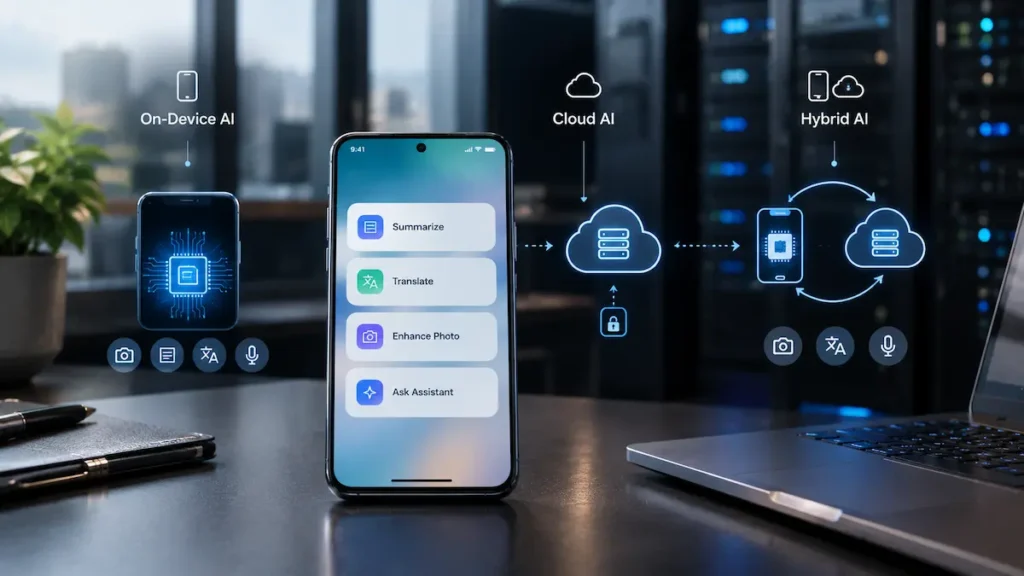
On-Device vs. Cloud vs. Hybrid AI
| On-Device AI | Cloud AI | Hybrid AI | |
|---|---|---|---|
| Where it runs | On the phone, for supported workloads | Remote servers | Local for simple tasks, cloud for complex ones |
| Works offline | Potentially, if the feature is designed to run fully on-device | No | Partially |
| Data sent externally | Depends on the feature and implementation | Task data is transmitted | Depends on the task |
| Model size | Constrained by device resources | Can be much larger | Mixed |
AI phones increasingly use hybrid processing, with the split varying by manufacturer and feature.
Galaxy AI vs. Apple Intelligence vs. Gemini
These aren’t three versions of the same thing — they sit at different layers:
- Apple Intelligence is Apple’s overall AI system, combining on-device models with Apple’s Private Cloud Compute for more demanding requests, with the processing path depending on the specific task.
- Galaxy AI is Samsung’s collection of AI features and services. Some run on-device, some in the cloud, and Samsung’s own settings let you restrict certain features to on-device-only processing — with the trade-off that a few cloud-dependent features (some summarization and generative editing tools) become unavailable when you do.
- Gemini is Google’s family of generative AI models and assistant experiences. Gemini Nano is a smaller model designed for supported on-device use through Android’s AICore framework — it isn’t representative of every Gemini-branded feature, many of which use cloud processing.
Feature availability for all three varies by device, region, account requirements, and software version — treat any specific feature list as a snapshot, not a guarantee for your exact phone.
Which AI Features Actually Matter to You?
Rather than crowning one “best” platform, match features to what you’d actually use:
| If you prioritize… | Look for… |
|---|---|
| On-device processing | Supported local models and an on-device-only setting |
| Writing help | System-wide rewrite/proofreading tools |
| Translation | Offline or on-device translation support |
| Photo editing | Generative editing, and whether it needs the cloud |
| Assistant features | Cross-app context awareness |
| Privacy control | A clear toggle between on-device and cloud processing |
| Lower price | A chipset with AI acceleration appropriate to your budget and use case |
AI Phone Marketing: What the Specs Don’t Tell You
An “AI-powered” label tells you very little by itself. For AI phones 2026, the more useful comparison is what each device actually does, where its AI processing occurs, and what features remain available over time. Two phones can advertise similar AI capabilities while differing significantly in processing location, supported features, model availability, and ongoing software support. When comparing AI phones, look beyond the marketing terminology and ask what the feature actually does.
An NPU or TOPS figure doesn’t tell you which AI features the phone can run. Performance numbers can be useful for understanding a chip’s capabilities, but they aren’t a complete measure of the user experience. Different manufacturers may report AI performance using different workloads or measurement methods, and real-world performance also depends on the model, memory, thermals, software, and optimization.
An AI feature doesn’t necessarily mean on-device processing. A feature may run locally, use cloud servers, or combine both. If privacy or offline use matters to you, check the processing path for the specific feature rather than assuming an “AI phone” processes everything locally.
A feature announcement doesn’t guarantee availability on every model. Manufacturers may limit features by chipset, memory configuration, device generation, market, language, account, or software version. Always check support for the exact model and region you’re considering.
An advertised AI feature may have additional requirements. Some features require a manufacturer or Google account, an internet connection, or a subscription. Others may initially be offered as a trial or vary in capability depending on the service.
The practical question isn’t simply “Does this phone have AI?” It’s: Which AI features do I actually get, where do they run, what do they require, and how long are they expected to remain supported? That’s a far more useful way to compare AI phones than comparing AI branding alone.
AI Phones 2026 by Price
Using approximate U.S. retail price ranges rather than standardized industry classifications:
- Flagship (roughly $900+): newer high-end chips, broader feature sets, and generally more headroom for demanding on-device tasks
- Mid-range (roughly $400–$800): on-device features like photo cleanup, transcription, and translation are increasingly appearing here
- Budget (under roughly $400): AI-powered photography, transcription, search, or productivity tools are appearing more often, though depth and processing location vary significantly by chipset and manufacturer
Generative and more advanced on-device AI capabilities became especially prominent in flagship smartphones, with similar capabilities increasingly appearing in lower-priced devices, although capability gaps remain.
Full roundup: Best AI Phones 2026 (by Budget)
How Private Are AI Phones, Really?
On-device processing can reduce how much data leaves your phone for a specific task — but it doesn’t automatically make a feature private. That depends on telemetry, account syncing, data handling, and whether the feature has any cloud component at all.
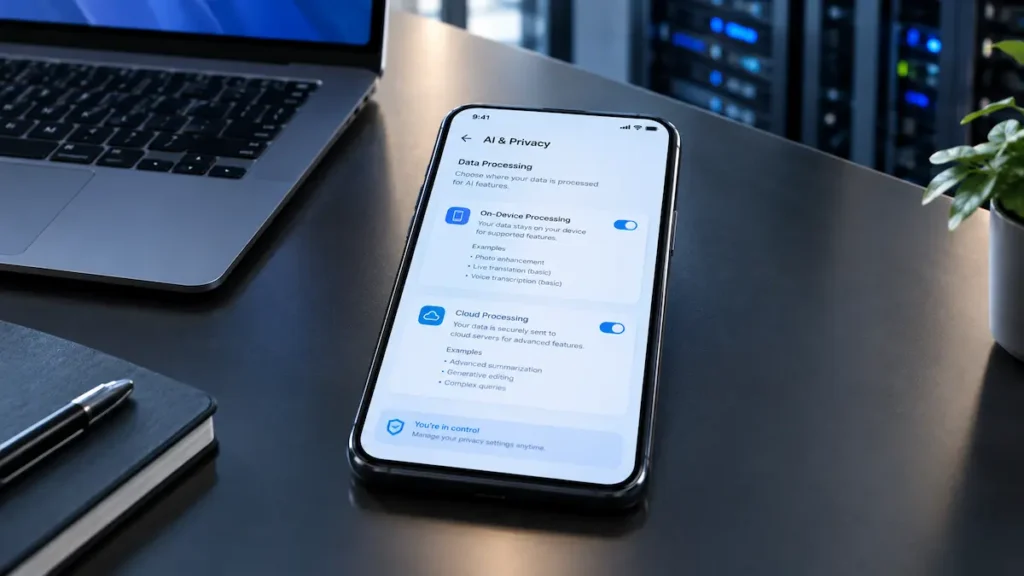
Before relying on a privacy claim, check: whether the feature has an optional on-device-only setting, what data is sent or retained, what account data it requires, and whether the manufacturer documents how it handles your data. Samsung, for example, offers a “Process data only on device” setting that restricts most — but not all — Galaxy AI features to local processing.
Full guide: Is On-Device AI More Private Than Cloud AI?
How Much RAM and Processing Power Do You Need?
More capable on-device AI can require more memory and newer chipset architectures, but RAM alone isn’t a reliable measure of AI capability. Running AI locally also uses battery and generates heat, so more AI capability doesn’t automatically mean better battery life. If sustained AI use matters to you (frequent transcription, live translation, photo editing), it’s worth checking real-world battery reviews, not just the spec sheet.
Full guide: Minimum RAM and Chip Requirements for On-Device AI
Where to Find AI Features
Menu names and locations vary by model, region, and software version — verify against your exact device before publishing screenshots or steps.
| Platform | Common starting points |
|---|---|
| iPhone | Settings, Apple Intelligence & Siri, Photos, Writing Tools |
| Galaxy | Settings, Advanced Features, supported Galaxy AI features |
| Android / Gemini | Gemini app and supported system apps |
Step-by-step guides: How to Enable Apple Intelligence · How to Use Galaxy AI Features · How to Use Gemini on Android
Should You Upgrade for AI Features?
Consider upgrading if:
- Your current phone doesn’t support a specific feature you’d use regularly
- Your chipset can’t run the on-device AI features you want
- You frequently need translation, transcription, or AI photo editing
- The capability you want isn’t coming to your phone via software update
Don’t upgrade just because:
- The marketing says “AI”
- A bigger NPU number is advertised
- The feature list is long
- The phone is simply newer
A phone with strong hardware and a longer software-update commitment may remain eligible for new AI capabilities for longer, while a similar phone with shorter support may reach the end of its supported software lifecycle sooner. (This describes what’s possible through updates, not a guarantee of which features a given phone will eventually receive.)
Full guide: Is It Worth Upgrading Your Phone for AI Features?
AI Phone Red Flags
Not every AI claim tells you enough to make a meaningful buying decision. Be cautious when a phone’s marketing emphasizes AI without explaining what the feature actually does or what it requires.
Watch for these red flags:
- AI branding without a specific use case — “AI-powered” is much less useful than a clearly described feature such as offline translation, transcription, or generative photo editing.
- A large TOPS number without context — AI performance figures aren’t directly comparable unless you know how they were measured and what workloads they represent.
- No clear processing information — if privacy matters, look for documentation explaining whether a feature runs on-device, in the cloud, or through a hybrid approach.
- Unclear model support — a feature announced for a phone series may not be available on every model, storage configuration, region, or software version.
- Unclear account or subscription requirements — check whether an AI feature requires an account, internet connection, paid service, or limited-time trial.
- No information about ongoing support — AI capabilities can depend on software updates, so the phone’s update policy matters as much as its launch-day feature list.
- Feature names that sound broader than they are — an “AI assistant” or “AI camera” label can cover a very specific set of functions. Check the actual capabilities before comparing phones.
The goal isn’t to avoid phones that advertise AI. It’s to separate useful, supported capabilities from marketing terminology so you can judge whether a particular device fits your needs.
What to Check Before Buying an AI Phone
- Which AI features would you actually use?
- Does your exact model and region support them?
- Do those features run on-device, in the cloud, or through a hybrid approach?
- Do they require an account?
- Are they free, subscription-based, or limited-time?
- Can cloud processing be disabled?
- Do they work offline?
- How long will the manufacturer provide software updates?
- How much RAM does the phone have?
- Which chipset does it use?
Frequently Asked Questions
What is the difference between an AI phone and a regular smartphone?
There is no universal industry definition of an AI phone. Generally, the term refers to smartphones that place a significant emphasis on AI capabilities across their hardware, software, or user-facing features, such as translation, photo editing, summarization, or generative assistance.
Does an AI phone need an internet connection?
Not always. Features designed to run entirely on-device can work offline. Many AI features are hybrid or cloud-dependent, though, so this varies by feature rather than by phone.
Can AI phones work offline?
For features that are fully on-device, yes. Hybrid or cloud-only features won’t function without a connection.
Are AI phones more expensive than regular phones?
Advanced on-device and generative AI capabilities first became especially prominent in flagship phones, but similar features have increasingly appeared in mid-range and budget devices, narrowing — though not eliminating — the price gap.
Is an AI phone worth buying in 2026?
AI phones 2026 can be worth considering if the AI features you want are genuinely useful to you and supported on the phone you’re considering.
Do all AI phones work the same way?
No. Apple, Samsung, and Google each use a different mix of on-device and cloud processing, and availability varies by device, region, and software version.
The Bottom Line
The right AI phone for you isn’t necessarily the phone with the biggest NPU number, the longest AI feature list, or the strongest AI marketing.
What matters is whether the phone provides the specific AI features you will actually use, whether those features run on-device or in the cloud in a way you’re comfortable with, whether they’re available on your exact model and region, and how long the manufacturer is likely to support the software.
AI capabilities are becoming a more important part of smartphone buying decisions, but the “AI phone” label alone isn’t enough to tell you what you’re getting. Evaluate the feature, processing path, requirements, privacy controls, and software support — not just the AI branding.
Feature availability, pricing, and processing methods change frequently with software updates and new device launches. This guide reflects information available as of September 2026 and is checked against current manufacturer documentation — always verify specifics for your exact model and region before buying.
Primary Sources:
- Apple — Private Cloud Compute
- Samsung Newsroom — How Galaxy AI Empowers You to Take Control of Your Data
- Google — Gemini Nano / AICore Documentation
- Qualcomm — The Qualcomm AI Engine
- European Data Protection Supervisor — On-Device AI