
Smartphones have become indispensable, but battery life remains a persistent problem. Surprisingly, browsers are often the hidden culprit. Mobile browsers’ battery drain silently consumes energy through background scripts, preloaded pages, and server connections, even when users are idle. Independent testing reveals that inefficient browsers, resource-heavy websites, and older devices amplify this effect.
On mid-range or aging devices, users often notice rapid battery drops, sometimes exceeding 15–20% in just a few hours. Understanding these hidden factors is critical for maximizing daily device performance. Awareness of background processes, website complexity, and browser behavior empowers users to make smarter choices regarding browsing habits, device management, and browser selection.
Core Explanation: Why Mobile Browsers Drain Battery Faster Than You Expect
Battery loss from mobile browsers is often surprising because it begins before active use. Preloaded content, analytics scripts, and background processes quietly consume power. Each open tab adds incremental CPU load, and multiple tabs compound the effect. Dynamic content, autoplay videos, and JavaScript-heavy websites exacerbate the issue, forcing constant processing.
Older devices or phones with smaller batteries feel the impact most acutely. Even with brightness and power-saving modes adjusted, battery drain can feel disproportionate. System-level optimizations, especially on iOS or newer devices, help reduce the load but do not eliminate it. Understanding these mechanisms clarifies why phones often lose power unexpectedly. Recognizing patterns of background activity, script execution, and tab usage allows users to anticipate battery behavior and make informed choices to minimize mobile browsers’ battery drain.
How Mobile Browsers Battery Drain Starts Before You Even Open a Website
Even when idle, modern browsers maintain preloaded pages and background connections. These activities require CPU and memory usage, quietly consuming battery. Each open tab multiplies the effect, and background analytics, ad trackers, and social widgets further increase energy demand.
On devices without advanced power management, this hidden load contributes significantly to mobile browsers’ battery drain. Users may notice battery percentage dropping even without active interaction, revealing the unseen cost of modern browsing.
Why JavaScript and Background Processes Worsen Mobile Browsers Battery Drain
Websites increasingly rely on dynamic JavaScript for interactivity, real-time updates, and animations. These scripts force constant CPU cycles, even when the user isn’t actively engaging with the page. Background tasks, such as fetching updates or syncing data, further increase energy consumption. On older or mid-range devices, these demands significantly exacerbate mobile browsers‘ battery drain, explaining why some phones lose power faster than expected.

Real Culprits: The Hidden Technical Reasons Behind Mobile Browsers’ Battery Drain
The main drivers of battery loss are often hidden from view. Tracking scripts constantly communicate with servers, forcing CPU cycles even without user action. Multiple tabs exacerbate this load, keeping scripts and media active. Heavy JavaScript, poorly optimized code, and intrusive ad networks contribute further. Devices with smaller batteries or less efficient processors amplify these effects.
Even browsers marketed as “lightweight” cannot fully eliminate background processes. Real-world tests show browsers vary in efficiency, with Chromium-based apps often consuming the most energy. Understanding these technical factors explains why mobile browsers’ battery drain often seems sudden or disproportionate. Awareness allows users to optimize tab management, adjust browser settings, and avoid resource-heavy websites to mitigate hidden energy losses.
Why Tracking Scripts Play a Major Role in Mobile Browsers’ Battery Drain
Tracking scripts are pervasive, embedded in almost every modern website. Each ping to a server requires processing power and energy, keeping the CPU engaged. These scripts are always running, even when pages are idle. Social media integrations, ad networks, and analytics further multiply the load, demonstrating why mobile browsers’ battery drain occurs even during casual browsing.
How Poor Tab Management Accelerates Mobile Browsers’ Battery Drain
Leaving multiple tabs open increases resource usage exponentially. Each tab maintains scripts, preloaded content, and sometimes active media. This cumulative effect keeps the CPU working and drains the battery quickly. Poor tab management is often overlooked but directly contributes to mobile browsers’ battery drain, especially on devices with limited efficiency.

Browser-Level Behavior: Not All Browsers Are Equal When It Comes to Mobile Browsers’ Battery Drain
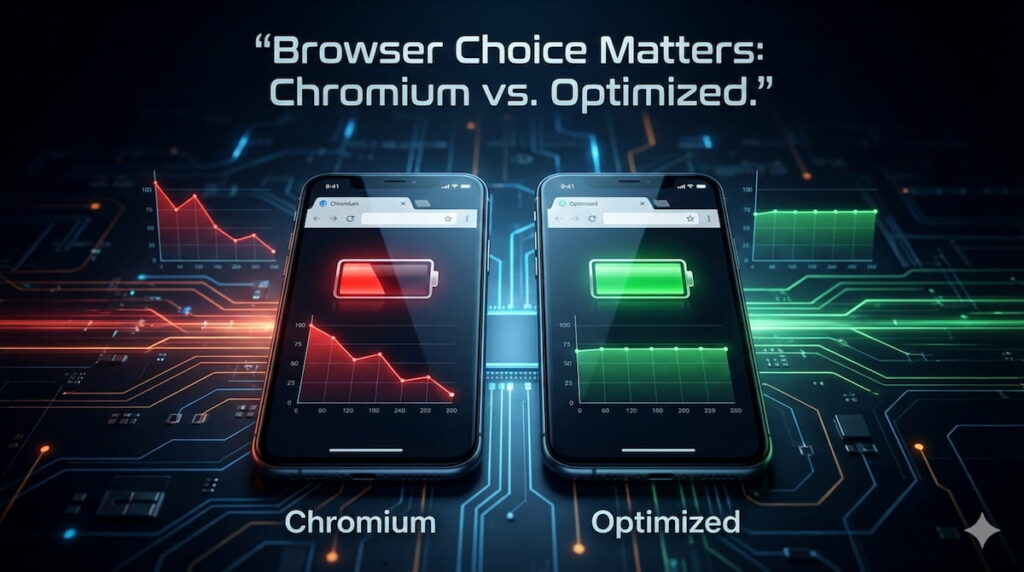
Browsers differ in how efficiently they use system resources. Chromium-based apps, including Chrome and Edge, offer speed and features but generally consume more energy. Background tab processing, preloaded content, and extensions keep CPUs active continuously. System-level optimizations, like iOS’s intelligent task suspension, reduce drain, but Android devices vary based on manufacturer and hardware. Users often notice significant differences in battery performance when switching browsers.
Even flagship devices benefit from optimized browsers, while mid-range and older phones experience accelerated mobile browser battery drain. Awareness of browser-level behavior enables users to select energy-efficient apps and adapt usage patterns to reduce unnecessary power consumption.
Why Chromium-Based Apps Often Increase Mobile Browsers’ Battery Drain
Chromium-based browsers maintain persistent background processes, sync data continuously, and keep multiple tabs alive. While this enhances speed and functionality, it also increases CPU load, causing faster battery depletion. Independent tests show these apps typically perform worse in energy efficiency, illustrating a key factor in mobile browsers’ battery drain.
How Platform Optimization Affects Mobile Browsers’ Battery Drain on Android vs iOS
Platform integration is critical for battery efficiency. iOS browsers benefit from tight OS-level optimizations, such as automatic suspension of inactive tabs. Android devices vary widely depending on manufacturer customizations, sometimes making mobile browsers‘ battery drain more pronounced. Users must consider platform-specific behaviors when selecting a browser for energy-conscious use.
Real-World Usage Impact: How Mobile Browsers Battery Drain Impacts Daily Phone Usage
Browser-induced battery loss is noticeable in day-to-day usage. Mid-range and older phones show rapid battery drops even during light browsing, while weak network connections force repeated data requests, further increasing CPU load. High-resolution images, autoplay videos, and dynamic scripts magnify energy consumption.
Users often misattribute sudden power loss to aging batteries, overlooking mobile browsers’ drain battery as a primary factor. Heat generation and decreased usability highlight its real-world impact. Awareness of these patterns helps users adjust browsing habits, network usage, and device choice, mitigating energy waste while maintaining performance.
Why Mobile Browsers Battery Drain Is Worse on Mid-Range and Older Phones
Older devices and mid-range smartphones have smaller batteries and less efficient processors. Modern websites with complex scripts and media exacerbate energy loss. This explains rapid drops in battery life and higher heat generation during everyday browsing, showing the practical impact of mobile browsers’ drain battery.
How Network Conditions Quietly Intensify Mobile Browsers’ Battery Drain
Weak or fluctuating network signals force browsers to repeatedly retry downloads and refresh scripts. This continuous activity increases CPU load and battery usage. Users on poor networks often see faster depletion, demonstrating the hidden effect of network conditions on mobile browsers’ battery drain.
Control & Mitigation: What Users Can and Cannot Control About Mobile Browsers’ Battery Drain
While some aspects of energy loss are beyond user control, behavioral changes and browser settings can reduce drain. Limiting background tabs, disabling autoplay, and using energy-saving modes lower CPU usage. However, essential background processes and scripts remain unavoidable. Marketing claims about “light” browsers or battery-saving features are often exaggerated.
Users must combine informed browser choice, careful tab management, and system optimization to achieve meaningful improvements. Understanding which factors are controllable versus unavoidable helps set realistic expectations and prevents reliance on ineffective solutions for mobile browsers’ drain battery.
Which Browser Settings Actually Reduce Mobile Browsers’ Battery Drain
Disabling autoplay videos, limiting background refresh, and closing unused tabs significantly reduces CPU workload. Some browsers also offer energy-saving modes that suspend inactive scripts, effectively lowering drain. While these measures do not eliminate mobile browsers’ drain battery, they provide measurable benefits for daily use.
Why Some Battery-Saving Claims About Mobile Browsers’ Battery Drain Are Misleading
“Lightweight” browsers and advertised battery-saving features reduce some energy use but cannot eliminate background processes or essential scripts. Users who rely solely on these claims may overestimate their effectiveness. Realistic expectations and practical behavior adjustments remain essential for mitigating mobile browsers’ battery drain.
Frequently Asked Questions (FAQ)
Q1: What causes mobile browsers battery drain the most?
Background scripts, tracking codes, multiple open tabs, autoplay media, and heavy JavaScript execution all force the CPU to remain active, even when idle.
Q2: Do all browsers drain battery equally?
No. Chromium-based browsers usually consume more power, while optimized browsers, particularly on iOS, use less. Device and network conditions also influence battery loss.
Q3: Can browser settings reduce mobile browsers battery drain?
Yes. Disabling autoplay, limiting background refresh, and managing open tabs can reduce drain, though some processes remain unavoidable.
Q4: Why do older phones experience worse battery drain from browsers?
Smaller batteries and less efficient processors amplify the energy cost of modern websites’ scripts and media, making drain more noticeable.
Q5: Are battery-saving or “light” browsers really effective?
They help but do not eliminate mobile browsers battery drain entirely. Behavioral choices and browser selection remain important.
Conclusion
Mobile browsers battery drain is a hidden but significant factor affecting smartphone battery life. From background scripts and tab management to browser engine differences and platform optimization, multiple elements contribute to energy loss. While not all factors are controllable, understanding them allows smarter choices: closing unused tabs, adjusting browser settings, selecting optimized apps, and managing browsing behavior. Real-world tests show device age, network conditions, and browser selection heavily influence drain.
Awareness and practical strategies—rather than marketing myths—are key to reducing unnecessary battery loss and maintaining consistent daily usability. Knowledge empowers users to navigate the modern, browser-driven mobile landscape efficiently, ensuring their devices remain functional throughout the day.
2 thoughts on “Mobile Browsers Battery Drain: What’s Really Killing Your Phone’s Power”
Comments are closed.