
Understanding the HP Laptop Charger: What Makes It Different?
A surprising amount of engineering hides inside an HP laptop charger, and once you notice it, you can’t unsee how crucial it is to your device’s health. Most people assume all chargers do the same thing, yet the difference becomes obvious the moment a generic adapter causes random shutdowns or sluggish charging. The right charger quietly keeps your laptop running at peak efficiency, and the wrong one slowly chips away at its performance. That’s where the power of a genuine HP laptop charger becomes impossible to ignore.
Why original HP chargers outperform generic ones
Cheap knockoffs might look identical, but they rarely deliver clean, stable power. Generic adapters often fluctuate during peak load, forcing the laptop to compensate and produce excess heat. Over time, this strain reduces battery cycles and degrades overall speed. Original HP adapters regulate output with far tighter tolerances, preventing micro-damage that accumulates silently.
Smart charging technology and voltage regulation
HP’s built-in controllers adjust voltage dynamically, keeping the laptop safe even during heavy multitasking. This intelligent system prevents inconsistent current spikes that could harm internal components. With controlled voltage transitions, heat buildup stays manageable, especially during long sessions. It’s a layer of safety most users never see but always benefit from.
How charger quality affects battery lifespan
A poor-quality charger ages your battery faster than daily heavy use. Internal cells become stressed when fed unstable voltage, resulting in shorter screen time and quicker degradation. A proper HP charger preserves the battery’s chemistry by delivering balanced, predictable power. The long-term difference shows up in months, not years.
Signs Your HP Laptop Charger Is Failing
A failing HP laptop charger rarely stops working in one dramatic moment—it fades out in quiet, almost invisible ways. The trouble begins subtly, and most users don’t notice until the laptop suddenly refuses to charge mid-task. That’s why catching early symptoms is the difference between preventing damage and scrambling for a new adapter. Ignoring those signs allows a struggling HP laptop charger to cause bigger issues that go far beyond simple charging delays.
Subtle early symptoms most users overlook
Slow charging is often the first warning sign, especially when the battery percentage seems stuck for long periods. A weak connection might temporarily deliver power but lose it with the slightest desk movement. Even faint temperature changes near the connector can indicate internal resistance developing. These small clues foreshadow larger failures.
Safety red flags: overheating, buzzing, intermittent charging
A charger that grows unusually hot is signaling electrical stress. Buzzing or faint clicking is even more concerning, typically pointing toward coil whine or unstable current flow. Intermittent charging means internal components may already be failing. These signs require immediate attention for safety reasons.
When replacement becomes urgent
If the laptop shuts off suddenly despite being plugged in, the charger may be supplying inconsistent current. Burnt or melted plastic near the connector is a clear emergency indicator. Persistent flickering of the adapter light also shows unstable voltage. Replacement at this stage isn’t optional—it’s necessary to protect your device.
Choosing the Right HP Laptop Charger Model
The search for an HP laptop charger seems simple until you discover how many wattages, connector shapes, and compatibility rules exist. Choosing blindly can lead to slow charging, overheating, or a charger that doesn’t work at all. A perfect match delivers smooth, stable power without stressing the motherboard, and the wrong match does the opposite. That’s why understanding the differences matters when selecting your next HP laptop charger.
How to match wattage, pin type, and connector size
Your laptop’s wattage requirement dictates everything, from charging speed to adapter temperature. Mismatched wattage can cause sluggish performance or unnecessary strain on internal circuitry. HP uses distinct connector shapes, so visual checking alone isn’t enough—you must match the exact model specifications. Ensuring the right pin type prevents loose and unsafe connections.
Differences between 45W, 65W, 90W, and fast-charging options
Lightweight laptops typically use 45W or 65W adapters, balancing efficiency and heat control. Gaming and workstation models require 90W or higher to support demanding GPUs and multitasking. Fast-charging models offer quicker boosts but generate more warmth during peak output. Each wattage tier serves a specific performance need.
Compatibility checklist for all HP series
HP Spectre, Pavilion, EliteBook, and Omen models often require different connectors. Cross-compatibility is limited even within the same series. Checking the product label or HP’s official guide ensures you choose the correct adapter. A compatible charger guarantees stable voltage over long sessions.
Original vs. Fake HP Laptop Chargers
The idea of saving money on an HP laptop charger sounds appealing until you see what counterfeit versions can do. Fakes often copy the outer shell perfectly, but inside, they hide the cheapest possible circuitry. One spike of unstable voltage is enough to damage a laptop worth hundreds or thousands. This is where the value of an authentic HP laptop charger becomes undeniable.
How counterfeit chargers damage motherboards
Low-quality components can’t regulate voltage under heavy load. This leads to erratic bursts that travel directly into the motherboard. Such spikes can corrupt power delivery circuits or cause irreversible electrical burns. The damage often appears suddenly and without warning.
Visual cues to identify authentic HP adapters
Genuine HP adapters have clean printing, precise fonts, and crisp labeling. Fake adapters often show blurry text or inconsistent branding. Weight differences also reveal quality—the originals feel denser due to internal protections. Subtle design flaws are usually the biggest giveaways.
Real-world risks: fire hazards, voltage spikes, and battery swelling
Counterfeit chargers overheat quickly, especially when used for long hours. This heat can warp plastic, damage cables, or ignite flammable materials. Voltage inconsistencies can cause battery swelling, reducing its lifespan dramatically. The short-term savings rarely justify the long-term risks.
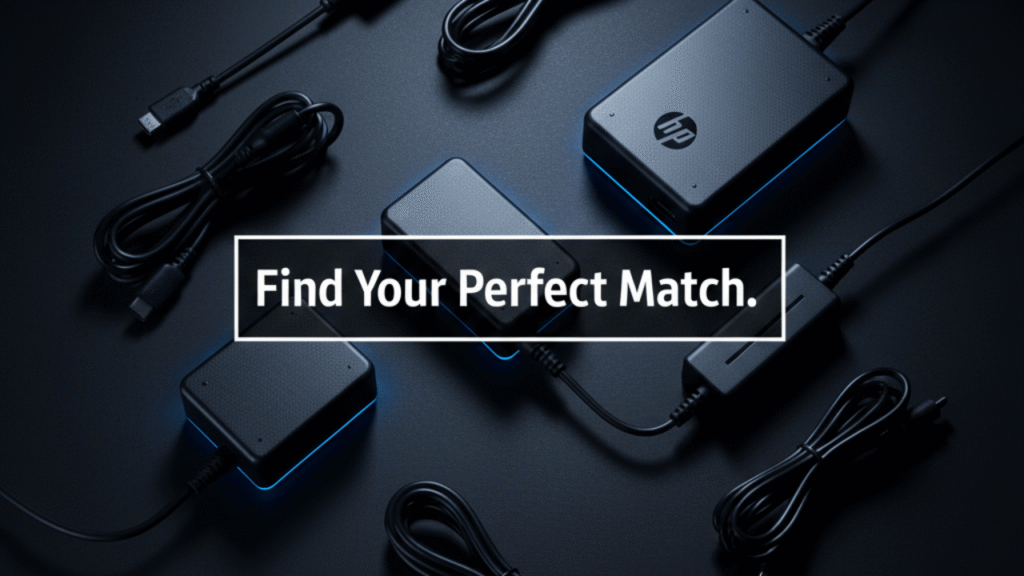
Best HP Laptop Chargers in 2025
The market for an HP laptop charger in 2025 is more diverse than ever, with options tuned for gaming, travel, office work, and hybrid lifestyles. Today’s adapters are sleeker, cooler, and smarter than older models. They offer faster charging, improved thermal control, and broader compatibility within HP’s lineup. As new features roll in, choosing the best HP laptop charger becomes more about finding the right match for your specific routine.
Top models for gaming, office, and travel
High-wattage adapters like 90W and 120W variants power gaming laptops without throttling. Office users benefit from compact 65W chargers that balance portability and stability. Travel-oriented chargers use foldable plugs and reinforced cables for durability. Each type offers strength in different scenarios.
Pros, cons, and ideal use cases
High-wattage chargers offer full-speed performance but run warmer under load. Lower-wattage models stay cooler but may charge slowly during multitasking. Travel chargers are lightweight but may lack long cable lengths. Matching the charger to your lifestyle avoids unnecessary inconvenience.
Budget-friendly but safe alternatives
HP-certified third-party chargers provide safe performance at lower prices. These alternatives undergo voltage regulation testing to meet HP’s standards. Avoiding unverified brands ensures consistent power delivery. The right certified alternative can be both affordable and reliable.
How to Protect Your HP Laptop Charger for Long-Term Use
Protecting an HP laptop charger isn’t just about extending its life—it’s about preserving your laptop’s performance. Chargers degrade when mistreated, and once they weaken, power output becomes unreliable. That instability affects everything from battery temperature to CPU performance. Treating an HP laptop charger with care ensures consistent, safe charging for years.
Daily habits that extend charger lifespan
Avoid sharp cable bends that stress the internal wiring. Keep the adapter off soft surfaces that trap heat. Unplug by gripping the connector, not the cable itself. These small habits prevent premature wear.
Proper cable care and storage
Loose loops preserve the cable’s flexibility better than tight wrapping. Storing the charger in a cool, dry place prevents heat-related damage. Using Velcro straps instead of rubber bands reduces pressure on the insulation. Good storage habits keep the cable strong.
Heat management tips for adapters
Chargers need airflow during heavy use. Keeping them away from blankets, bags, or sunlight helps maintain a safe temperature. Elevated surfaces improve heat dissipation. Lower temperatures prolong internal component life.
Troubleshooting Common HP Charger Problems
Troubleshooting an HP laptop charger can feel intimidating, but most issues reveal themselves through simple observations. When your laptop refuses to charge, the culprit is usually the adapter, the port, or the battery. Each behaves differently under stress, and understanding those signals gives you a fast path to the solution. A careful check can save both time and money with your HP laptop charger.
Charger plugged in but not charging
A loose connector is often the easiest fix. If the LED doesn’t turn on, the adapter may be dead. Testing a different outlet eliminates socket issues. When all else fails, the port may require professional repair.
Adapter light blinking patterns and their meanings
A steady blink usually indicates voltage protection mode. Rapid blinking suggests the adapter can’t maintain stable output. No blinking at all may signal a short circuit. These patterns help diagnose internal failures.
How to diagnose if the issue is the charger, port, or battery
Testing with another compatible charger isolates the problem quickly. If only one charger works, the adapter is faulty. If none work, the port or battery needs inspection. Step-by-step testing narrows it down accurately.
Travel-Friendly HP Laptop Charger Options
A travel-ready HP laptop charger must balance portability with reliable power delivery. Whether you’re working from a café, a plane, or a hotel desk, the right adapter makes mobility feel effortless. Modern travel chargers are designed to stay cool, pack small, and charge fast without stressing your device. That’s why choosing a dedicated travel HP laptop charger can transform productivity on the move.
Lightweight, foldable, and multi-port chargers
Compact chargers reduce luggage weight without sacrificing performance. Foldable plugs protect the adapter during travel. Multi-port options let you charge laptops and phones from one device. These features streamline your travel setup.
Best universal travel adapters for HP laptops
Universal adapters with interchangeable plugs work in dozens of countries. Models with surge protection safeguard your laptop from unstable power grids. HP-compatible versions maintain proper voltage regulation. A universal option is invaluable for frequent travelers.
Airport and airplane charging limitations
Some airplane outlets provide limited wattage. Chargers above certain power levels may not function optimally mid-flight. Airport lounges offer better access but still vary in power quality. Knowing these limits avoids mid-travel surprises.
USB-C HP Laptop Chargers: Are They Worth Switching To?
Switching to a USB-C HP laptop charger opens the door to faster charging, lighter accessories, and universal compatibility. This newer standard delivers more power in a smaller form factor, making daily use noticeably easier. As more HP models adopt USB-C, the transition feels less like an upgrade and more like a natural step forward. For many users, a USB-C HP laptop charger is becoming the new default.
Benefits of USB-C fast charging
Fast charging restores hours of battery life in short intervals. USB-C supports higher wattage through compact cables. Its reversible design eliminates alignment issues. Convenience and speed define the experience.
Thunderbolt vs. standard USB-C differences
Thunderbolt ports handle more bandwidth and higher power delivery. Standard USB-C ports still offer solid charging but lack data advantages. Choosing the right charger depends on your laptop’s port capabilities. Thunderbolt provides future-proof flexibility.
When to upgrade from the traditional barrel charger
Users with newer HP models benefit most from switching. Gamers and creators may still need higher-wattage barrel adapters. Those seeking lighter chargers for travel will appreciate USB-C options. The upgrade depends on your performance needs.
FAQ: HP Laptop Charger
How can I tell if my HP laptop charger is original?
Original HP chargers have crisp labeling, consistent fonts, and a dense, high-quality feel due to internal protection components. Look for a clear HP logo, proper wattage markings, and a smooth, solid connector. If the adapter feels unusually light or the printing looks cheap or blurry, it’s likely counterfeit.
Why does my HP laptop charger get hot while charging?
A mild warmth is normal, especially during heavy workloads. However, excessive heat indicates that the charger is struggling to regulate voltage or that airflow around it is restricted. Always place the charger on a hard, cool surface to prevent overheating.
Can I use a higher-watt HP charger on a lower-watt laptop?
Yes, a higher-wattage HP charger is safe because the laptop will only draw the power it needs. The only requirement is connector compatibility. Using a lower-watt charger, however, may cause slow charging or unexpected shutdowns.
Why is my laptop plugged in but not charging?
This issue may come from a faulty charger, a damaged port, or a degraded battery. Check if the LED on the charger turns on. If the charger is cold and the LED is off, the adapter may have failed. Testing with a compatible charger is the fastest way to isolate the cause.
Is it safe to use third-party HP laptop chargers?
Only HP-certified third-party models are safe. Unverified chargers can produce voltage spikes, run excessively hot, or damage the motherboard. Look for certification markings, proper wattage, and user reviews before buying.
Do USB-C HP laptop chargers work with all HP models?
Not all HP laptops support USB-C charging because some USB-C ports only transfer data. Your laptop must explicitly support USB-C Power Delivery (PD). Checking the model number or HP’s compatibility chart will confirm this.
Safety Tips Most Users Ignore
Most users don’t realize how much safety depends on the care of an HP laptop charger, but small mistakes can cause serious hazards. Chargers handle high current over long periods, and misuse creates unnecessary risks. Good habits protect both the adapter and your device from preventable damage. Treating an HP laptop charger with respect ensures long-term reliability.
Surge protection essentials
Using a surge protector shields the laptop from sudden voltage spikes. Unstable grids can send unpredictable currents into your equipment. A protected outlet provides a safe buffer. It’s a simple step that prevents costly repairs.
Why you shouldn’t charge on soft surfaces
Soft materials trap heat around the adapter. Excess heat reduces the charger’s lifespan and poses a fire risk. Hard, ventilated surfaces keep temperatures controlled. Avoiding soft surfaces is critical during long charging sessions.
The hidden dangers of using damaged cables
Exposed wiring can spark or short-circuit under load. Fraying insulation weakens the cable’s ability to regulate current. Damaged chargers may overheat or stop working abruptly. Replacing a compromised cable is always the safest choice.
2 thoughts on “HP Laptop Charger SOS: 7 Essential Fixes When Your Battery Won’t Charge”
Comments are closed.