
If you’re paying monthly for Google Drive or Dropbox and still worrying about who can actually read your files, you’re not getting the best value — or the best protection. In 2026, the best cloud storage alternatives have matured into genuinely superior options for privacy, pricing, and long-term reliability. They’re not niche products anymore. They’re the smarter choice for anyone who handles files that actually matter.
This guide covers everything you need to make a confident decision: what separates these platforms from the mainstream, which ones are worth your money, and exactly which option fits your specific situation. No fluff, no filler — just the information you need.
What Are Cloud Storage Alternatives?
The Best Cloud Storage Alternatives are privacy-first, independently operated file storage platforms built specifically to address the gaps that Google Drive, Dropbox, and Microsoft OneDrive leave wide open. The best cloud storage alternatives are online file storage platforms built outside the Google, Dropbox, and Microsoft ecosystems. They’re purpose-built to close the gaps those platforms deliberately leave open—gaps around encryption ownership, pricing honesty, and data sovereignty.
These aren’t budget knockoffs or inferior products. Many of them are architecturally more advanced than the platforms they replace. Some apply zero-knowledge encryption by default, meaning not even the provider can open your files. Others offer lifetime storage purchases that eliminate subscription dependency entirely. A few distribute your data across decentralized infrastructure that no single breach can compromise.
Knowing that the best cloud storage alternatives exist is one thing. Understanding exactly why the mainstream platforms fall short is what makes the decision obvious.
Why People Are Leaving Google Drive & Dropbox
Understanding why so many users are actively searching for the Best Cloud Storage Alternatives starts with recognizing what the mainstream platforms get wrong — and how consistently they get it wrong. The frustrations driving people toward the best cloud storage alternatives are consistent and well-documented. Google Drive scans your files for policy compliance and advertising relevance — that’s part of their business model, not a bug. Dropbox has faced serious security incidents and prices its plans at a premium that doesn’t reflect the level of protection users actually receive. Neither platform uses end-to-end encryption by default, which means both companies hold the keys to your files at all times.
This is one of the most common and dangerous cloud storage mistakes people make — assuming that because a file is “in the cloud,” it’s private. It isn’t, unless the encryption model explicitly prevents the provider from accessing it. For a full breakdown of where these assumptions create real risk, this article on the top cloud security mistakes companies still make is required reading before you store anything sensitive on a mainstream platform.
When You Actually Need a Cloud Storage Alternative
You genuinely need the Best Cloud Storage Alternatives when your current platform is pricing you out, limiting your privacy, or failing to give you real control over your own files. The best cloud storage alternatives become a genuine priority when your current platform is pricing you out as your storage needs grow, when the files you’re storing require actual privacy rather than assumed privacy, or when you’re tired of paying recurring monthly fees for something a one-time purchase could cover.
Healthcare workers, legal professionals, freelancers with client confidentiality obligations, and small business owners handling financial data have specific, legitimate reasons to switch. But even for personal users — anyone who stores tax documents, passport scans, or private photos — the question of who else can technically access those files is worth asking.
Key Reasons to Switch to Cloud Storage Alternatives
The Best Cloud Storage Alternatives don’t just offer a different logo — they solve specific, documented problems that Google Drive and Dropbox either cannot or simply will not fix. The best cloud storage alternatives don’t just offer different branding—they solve problems the mainstream providers either can’t or won’t fix. Understanding these reasons clearly helps you evaluate whether switching makes practical sense for your situation.
Privacy and Data Ownership Concerns
Privacy is the single most powerful reason people turn to the Best Cloud Storage Alternatives, and it’s a concern grounded in how these mainstream platforms actually operate — not just how they’re perceived. Privacy is the most compelling reason people explore the best cloud storage alternatives, and the concern is legitimate, not paranoid. When you upload a file to Google Drive, their terms of service grant them a broad license to process that content. They aren’t selling your files directly, but they are analyzing them. For a therapist storing session notes, a lawyer holding client documents, or a journalist protecting a source, that arrangement is professionally and ethically unacceptable.
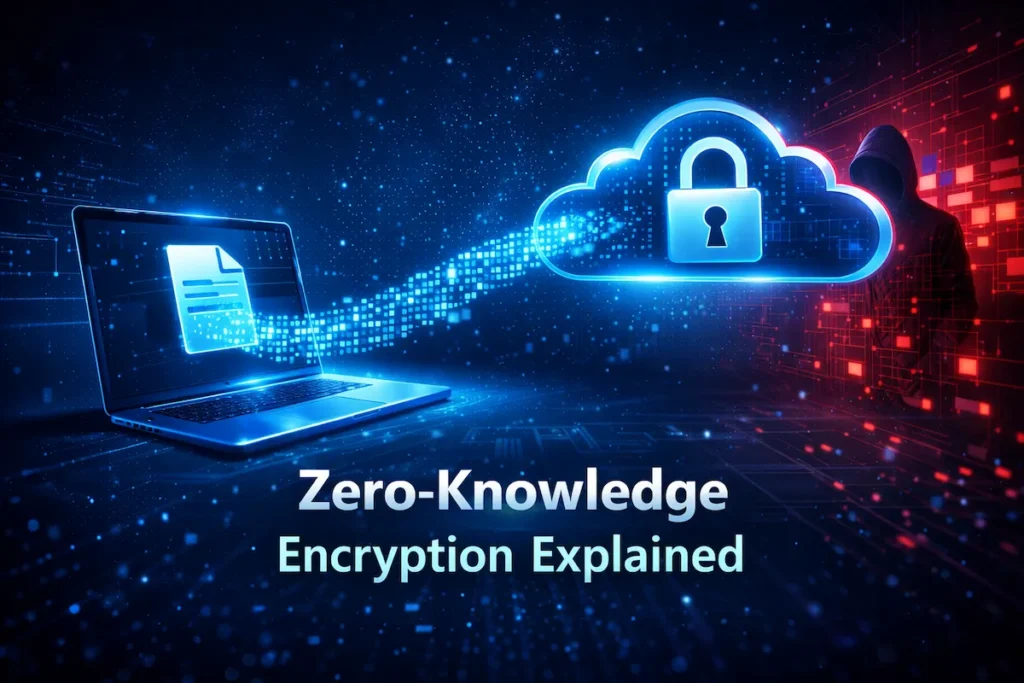
Private cloud storage platforms like Sync.com and Internxt are built on zero-knowledge encryption architecture. Your files are encrypted on your own device, using a key that never leaves your control, before they’re ever transmitted to the server. The provider receives encrypted data that is mathematically unreadable without your key. Not under a subpoena, not after a breach—unreadable.
Applying proven cloud security practices alongside a privacy-first storage platform gives you genuinely layered protection — the kind that holds up in real-world scenarios, not just marketing copy.
Limited Free Storage and Pricing Issues
One of the clearest advantages the Best Cloud Storage Alternatives hold over mainstream providers is a fundamentally more honest and flexible approach to both free storage and long-term pricing. Google Drive’s 15 GB free tier sounds reasonable until you realize it’s shared across Gmail, Google Photos, and Drive simultaneously. Most users hit the limit within a year. Dropbox’s free plan offers just 2 GB — barely enough for a few project folders. Once you hit the cap, the paid tier jumps are steep relative to what you’re actually getting.
The best cloud storage alternatives reset that math entirely. Mega provides 20 GB free with end-to-end encryption. Internxt offers 10 GB at no cost on an encrypted platform. pCloud’s lifetime plan — a one-time purchase of around $199 for 500 GB — eliminates monthly fee anxiety completely. For a user who plans to store files for five or more years, the total cost comparison isn’t even close.
Security and Encryption Limitations
When you examine the encryption models behind mainstream providers, the case for switching to the Best Cloud Storage Alternatives becomes less of a preference and more of a logical conclusion. AES-256 encryption is the baseline standard across nearly all cloud platforms, including mainstream providers. The distinction that actually matters isn’t the algorithm—it’s who controls the decryption keys. When Google or Dropbox holds your encryption keys, your security is bound by their internal controls, their legal obligations to comply with government requests, and their resistance to breach.
Encrypted cloud storage built on end-to-end or zero-knowledge models removes the provider from that equation structurally, not contractually. You hold the only key. The provider can be hacked, subpoenaed, or sold—and your files remain unreadable. For businesses storing regulated or sensitive data, running a cloud security audit often reveals exactly how exposed current storage arrangements are.
If any of these concerns reflect your current situation, the Best Cloud Storage Alternatives reviewed in the next section are exactly what you need.
Best Cloud Storage Alternatives (Detailed Review)
The Best Cloud Storage Alternatives reviewed below are evaluated on real criteria — encryption architecture, pricing structure, compliance posture, and honest limitations — not just feature lists pulled from marketing pages. Each platform below is evaluated on real criteria: encryption model, pricing structure, use case fit, and where it falls short. The best cloud storage alternatives aren’t one-size-fits-all—knowing the limitations is as important as knowing the strengths.
pCloud—Best Cloud Storage Alternative for Lifetime Plans
Among the Best Cloud Storage Alternatives available in 2026, pCloud stands out as the most compelling choice for users who want to eliminate recurring subscription costs without sacrificing reliability or features. pCloud is headquartered in Switzerland, which places it under some of the strongest data privacy legislation in the world—a meaningful legal layer on top of its technical protections. The desktop and mobile apps are polished, file syncing is reliable across platforms, and the sharing and collaboration tools are well-developed for both individuals and small teams.
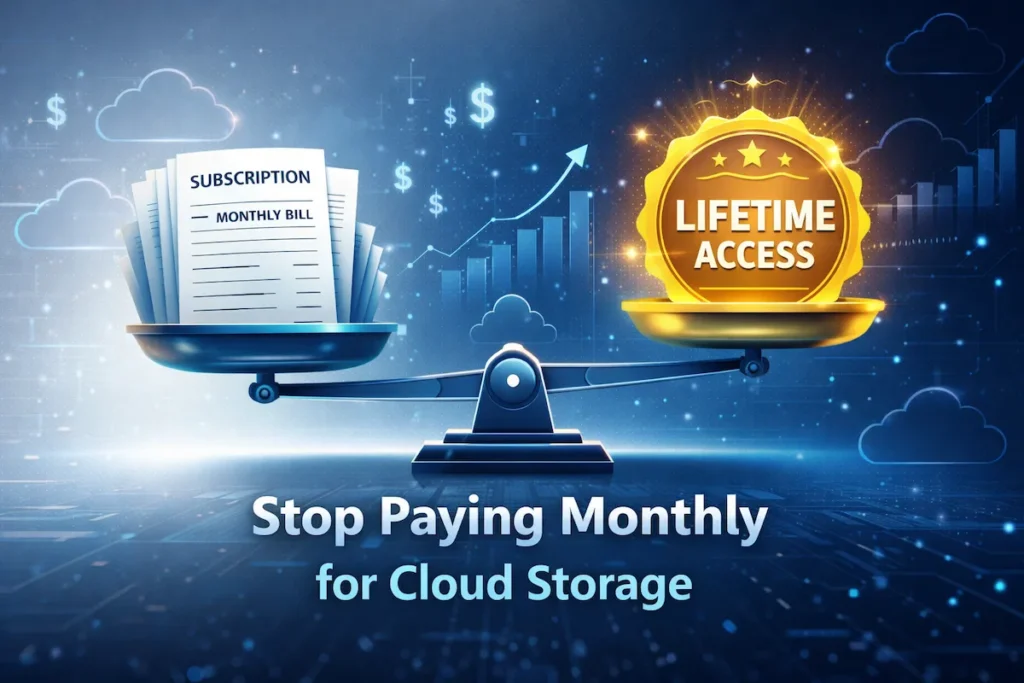
The defining feature of pCloud as one of the best cloud storage alternatives is its lifetime storage plan. At approximately $199 for 500 GB, you pay once and own that storage permanently. Run the numbers against a Dropbox Plus subscription at $9.99 per month — after two years, pCloud has already paid for itself. After five years, you’ve saved hundreds of dollars.
On the encryption side, standard pCloud storage uses AES-256 with the provider holding keys, which is standard but not zero-knowledge. The pCloud Crypto add-on ($49 lifetime) enables client-side zero-knowledge encryption for a designated vault folder. It’s a modular approach: use standard storage for files where convenience matters more than strict privacy and crypto for sensitive documents.
Limitation to know: pCloud’s zero-knowledge encryption is opt-in and requires the paid Crypto add-on. Users who assume all pCloud storage is zero-knowledge by default will be mistaken. Storage servers are located in the US and Luxembourg — worth knowing if data residency matters to your compliance requirements.
Sync.com – Best Cloud Storage Alternative for Privacy
Sync.com applies zero-knowledge encryption on every plan, including the free tier. That’s not a premium upsell — it’s the baseline. The platform is Canadian-based, HIPAA-compliant, and GDPR-aligned, making it one of the few best cloud storage alternatives that can realistically serve regulated industries without additional configuration.
Business plans include shared workspaces with granular role-based permissions, detailed audit logs that show who accessed what and when, and version history for file recovery. The interface is functional but not as visually polished as Google Drive or Dropbox — if you’re switching from a consumer-first product, there’s a brief adjustment period.
The compliance profile is the standout. For healthcare teams storing patient-adjacent data, legal firms managing confidential documents, or financial services companies with regulatory obligations, Sync.com delivers HIPAA and GDPR compliance out of the box. That’s typically expensive to achieve through enterprise cloud solutions. Sync.com makes it accessible at small business prices.
Limitation to know: Sync.com doesn’t support real-time collaborative document editing. Teams that depend on live co-editing (like Google Docs enables) will need a third-party integration. Also, customer support response times have been slower than ideal for some business users. Sync.com applies zero-knowledge encryption on every plan; check out Sync.com secure cloud storage for details.
Mega – Best Free Cloud Storage Alternative
Mega offers 20 GB of free end-to-end encrypted cloud storage — no credit card, no trial expiration, no catch. The New Zealand jurisdiction adds meaningful legal distance from US government data requests. End-to-end encryption is applied across all plans and cannot be disabled, which puts Mega among the Best Cloud Storage Alternatives for users who want encryption without thinking about it. Among the Best Cloud Storage Alternatives for free encrypted cloud storage, Mega encrypted cloud storage stands out with a 20 GB free tier.
File transfer speeds are competitive, large file uploads are handled without arbitrary size caps on the free tier, and the web interface is clean and fast. Desktop and mobile apps are available for all major platforms and sync reliably. Public link sharing works well for individual sharing, though bandwidth limits on the free tier can become a constraint if you’re regularly distributing files to large groups.
Mega generates revenue through paid subscriptions, not advertising. There’s no ad model, no file scanning, and no cross-referencing with other services. For a free product, that’s a meaningful privacy commitment.
Limitation to know: Mega’s free tier has bandwidth quotas for public link sharing — if a shared link gets high traffic, downloads may be throttled temporarily. Mega’s terms of service also allow account termination if they detect abusive content in shared links, which occasionally creates friction for legitimate users dealing with false positives.
Internxt – Best Decentralized Cloud Storage Alternative
Internxt’s architecture is fundamentally different from every other platform in this list. Instead of storing encrypted files on centralized servers, it fragments files into small encrypted shards and distributes them across a decentralized network of nodes. There is no single server that holds a complete copy of your file. Compromising any individual node yields nothing usable — the shard is encrypted, and it’s only a fragment.
Internxt is fully open-source. Every component of its security model can be independently audited by security researchers, and several have. In a market where “zero-knowledge” is frequently used as a marketing term, Internxt’s verifiable architecture is a genuinely meaningful distinction. The Best Cloud Storage Alternatives for security-first users should be ones whose claims can be checked — Internxt’s can be. Internxt’s open-source decentralized architecture makes it one of the Best Cloud Storage Alternatives — explore Internxt Drive for secure file storage.
The free tier offers 10 GB, with affordable paid plans starting at $3.99 per month. European headquarters means GDPR compliance is native, not retrofitted.
Limitation to know: Internxt is a younger platform, and it shows in areas like collaboration tools and third-party integrations. The feature set is narrower than Sync.com or pCloud. Users with complex team workflows may find it limiting. Speed can also vary depending on node availability in your region. This is a platform to watch — it’s improving quickly — but it’s not the most feature-complete option in the market right now.
iDrive – Best Cloud Storage Alternative for Modern Users
iDrive operates in a slightly different category than the others — it’s purpose-built for comprehensive backup rather than everyday file syncing, and it excels at that specific job more than any other platform at its price point. A single iDrive plan covers multiple computers, external hard drives, and mobile devices simultaneously. For households or small businesses with several machines, the per-device value is exceptional.
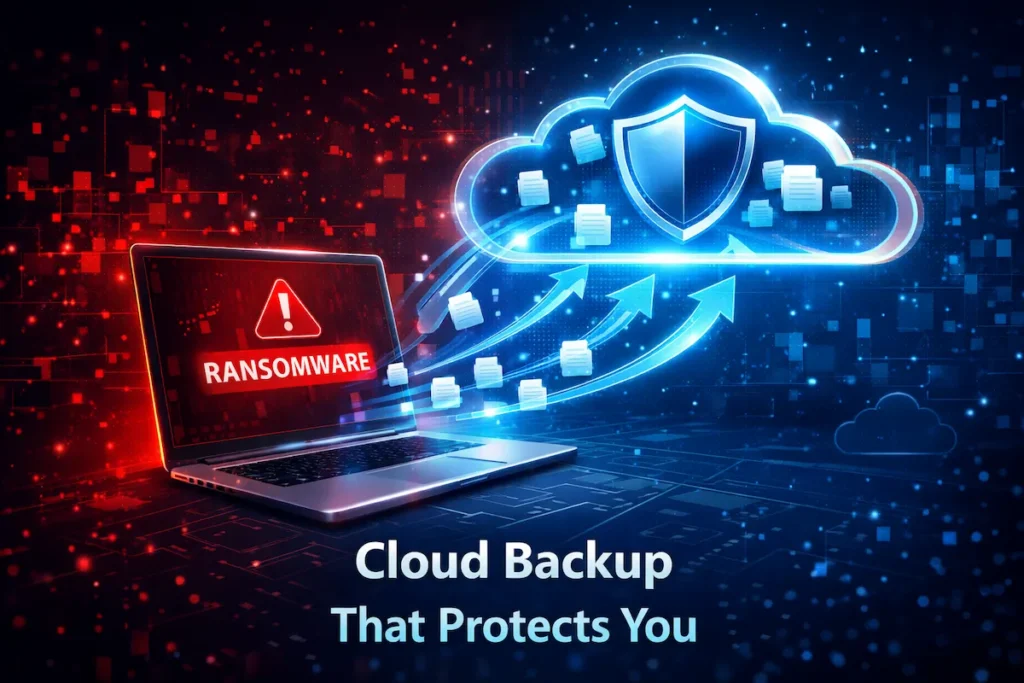
iDrive’s versioned backup system stores multiple copies of your files over time, allowing you to restore earlier versions at any point. The ransomware protection feature works by maintaining historical restore points — if your current files are encrypted by ransomware, you roll back to a clean version and restore cleanly. There’s also a physical recovery option: iDrive mails you a storage drive, you load your data locally, and ship it back.
Understanding cloud backup and disaster recovery readiness makes clear how few individuals and small businesses actually have a tested recovery plan. iDrive is one of the Best Cloud Storage Alternatives that closes that gap directly, affordably, and without requiring technical expertise to configure.
Limitation to know: iDrive is optimized for backup, not real-time file access or collaboration. If your primary need is a Dropbox-style folder that syncs files across devices for active use, iDrive isn’t the right fit. It’s also worth reading the renewal pricing carefully — promotional first-year pricing is significantly lower than standard renewal rates.
Cloud Storage Alternatives Comparison
To choose the right platform from the Best Cloud Storage Alternatives reviewed above, you need a clear side-by-side view of how each one handles the factors that actually drive the decision: pricing, encryption type, compliance, and data residency.
Pricing, Storage Limits, Security Features Comparison
The table below gives you a clean side-by-side view of the Best Cloud Storage Alternatives covered above. Each column reflects a practical decision factor — match your priorities to the right platform rather than defaulting to the most familiar name.
| Platform | Free Storage | Paid Plans (Starting) | Encryption Type | Lifetime Plan | HIPAA | Data Centers |
|---|---|---|---|---|---|---|
| pCloud | 10 GB | ~$4.99/mo | AES-256 + optional Zero-Knowledge | ✅ Yes | ❌ No | US, Luxembourg |
| Sync.com | 5 GB | ~$8/mo | Zero-knowledge (all plans) | ❌ No | ✅ Yes | Canada |
| Mega | 20 GB | ~$5.83/mo | End-to-end encryption (all plans) | ❌ No | ❌ No | New Zealand, EU |
| Internxt | 10 GB | ~$3.99/mo | Zero-knowledge, decentralized | ❌ No | ❌ No | EU (Spain) |
| iDrive | 10 GB | ~$2.95/yr (promo) | AES-256 (in transit & at rest) | ❌ No | ✅ Yes | US |
Who should NOT use each platform:
pCloud is a poor fit for users who need zero-knowledge encryption by default without paying for the Crypto add-on, or for organizations with strict data residency requirements that exclude US-based servers.
Sync.com isn’t the right choice for teams that depend on real-time document collaboration or need deep integrations with productivity tools like Notion, Slack, or Microsoft 365.
Mega becomes limiting for users who regularly share files publicly at high volume — the bandwidth caps on the free tier and the complexity of paid upgrades frustrate some power users.
Internxt isn’t ready for teams with complex collaboration workflows or users who need rich third-party integrations. It’s best suited to individual users and privacy-focused early adopters.
iDrive is the wrong tool if you need a live sync folder for active daily file access. It’s a backup platform — it does that extremely well, but it’s not a Dropbox replacement in terms of workflow.
Support quality also varies meaningfully across these platforms. Sync.com and pCloud offer documented support channels with reasonable response times. Mega’s support is community-heavy and slower for technical issues. Internxt, as a newer platform, has support resources that are still developing. iDrive has strong documentation but premium support tiers can be costly.
Free vs Paid Cloud Storage Alternatives
Free plans from Mega, Internxt, and Sync.com are genuinely useful for individuals managing a limited set of important documents. The encryption on these free tiers is real — not a downgraded version. For personal storage of critical files, a small shared folder, or a single backup device, free tiers from the Best Cloud Storage Alternatives are more than adequate.
Which Option Is Better for Long-Term Use?
For long-term use, paid plans consistently outperform free tiers — not only in storage volume, but in stability and reliability. Free product tiers change. Limits shrink, features get paywalled, and platforms occasionally discontinue free access entirely when business models evolve. Paying for a plan, especially a lifetime option through pCloud, creates genuine continuity that free users don’t have.
If you’re storing anything business-critical, professionally sensitive, or personally irreplaceable, a paid tier from one of the Best Cloud Storage Alternatives is the more responsible choice. A pragmatic way to start is to use Mega or Internxt’s free tier to test workflows and get comfortable with the interface, then move to a paid plan — or a pCloud lifetime purchase — once you’re confident in the fit. The cost difference between a mainstream provider and a privacy-first alternative is often smaller than expected. In several cases, the alternative is cheaper.
Cloud Storage Alternatives for Different Use Cases
The Best Cloud Storage Alternatives are not interchangeable — each platform is stronger in specific scenarios, and matching the right tool to your actual situation is what separates a genuinely useful switch from a lateral move. The Best Cloud Storage Alternatives serve different needs, and the “right” answer changes based on what you’re actually trying to accomplish. Here’s a direct match between situation and platform.
Best Cloud Storage Alternative for Backup
When backup is your primary goal, the Best Cloud Storage Alternatives that specialize in that function — rather than platforms that treat backup as a secondary feature — are where you should focus your evaluation. iDrive is the clearest recommendation for backup-first users, and it isn’t particularly close. Multi-device coverage under a single plan, versioned restore with historical point recovery, ransomware rollback capability, and physical media recovery make it purpose-built for the scenario most people dread but don’t prepare for. Among the Best Cloud Storage Alternatives evaluated here, nothing else delivers this combination of features at iDrive’s price.
Many users running small businesses or managing household tech don’t have a tested recovery process. Cloud backup and disaster recovery readiness is a separate discipline from just storing files in the cloud — and iDrive is built around that distinction.
Best Cloud Storage Alternative for Business and Teams
Sync.com is the strongest choice for teams that handle sensitive data in regulated industries. Zero-knowledge encryption on all plans, HIPAA compliance, role-based access controls, and detailed audit logs give it a compliance profile that typically costs significantly more through enterprise cloud vendors. pCloud Business is a strong alternative for teams in non-regulated industries that prioritize ease of use and don’t need zero-knowledge encryption on every file.
One operational gap many business teams don’t account for is the difference between cloud visibility and true cloud understanding — knowing that files exist isn’t the same as knowing who can access them, from where, and under what conditions. The Best Cloud Storage Alternatives for business use are platforms that provide both usability and auditability. Sync.com and pCloud Business both meet that standard.
Best Cloud Storage Alternative for Privacy-Focused Users
Sync.com and Internxt are the two strongest options for users where privacy is non-negotiable, and they serve slightly different priorities. Sync.com is more feature-complete, more polished, and better suited to users who need privacy without sacrificing usability. Internxt’s open-source, decentralized architecture is more technically rigorous — its security claims are independently verifiable, not just asserted.
For journalists protecting sources, healthcare workers storing sensitive records, legal professionals managing confidential documents, or activists operating in high-risk environments, Internxt’s verifiable zero-knowledge model is the more trustworthy foundation. Among the Best Cloud Storage Alternatives for privacy-first users, these two set the standard that others in the market are measured against.

Pros and Cons of Using Cloud Storage Alternatives
Understanding the full picture of the Best Cloud Storage Alternatives means being honest about both sides.
Pros — pCloud:
- Lifetime plan eliminates recurring costs permanently
- Swiss jurisdiction with strong legal privacy protections
- Polished apps across all platforms with reliable syncing
- Flexible encryption options (standard + zero-knowledge add-on)
- Solid file sharing and team collaboration features
Cons — pCloud:
- Zero-knowledge encryption requires a paid add-on, not included by default
- Data residency spans US and Luxembourg — not ideal for strict EU-only compliance
- No native real-time document editing
Pros — Sync.com:
- Zero-knowledge encryption on every plan including free
- HIPAA and GDPR compliant out of the box
- Granular role-based permissions and audit logs
- Strong compliance credentials at small business pricing
Cons — Sync.com:
- No real-time co-editing; limited productivity suite integration
- Interface less intuitive than mainstream competitors
- Support response times can be slow
Pros — Mega:
- 20 GB free with genuine end-to-end encryption — best free tier available
- No ad-based revenue model
- Fast transfers and no arbitrary file size limits
- Clean mobile and desktop apps
Cons — Mega:
- Bandwidth quotas on free public link sharing
- Customer support is slow and community-dependent
- Paid plan upgrade path is less straightforward than competitors
Pros — Internxt:
- Fully open-source and independently auditable
- Decentralized architecture — no single point of failure
- EU-based with native GDPR compliance
- Most privacy-forward architecture among the Best Cloud Storage Alternatives
Cons — Internxt:
- Narrower feature set than established competitors
- Collaboration and third-party integration tools are limited
- Transfer speeds can vary by region
- Still maturing — reliability track record shorter than pCloud or Sync.com
Pros — iDrive:
- Multi-device backup under a single plan — exceptional value
- Ransomware recovery through historical restore points
- Physical drive recovery service available
- HIPAA compliant; strong for regulated backup use cases
Cons — iDrive:
- Not a real-time file sync tool — not a Dropbox replacement
- Promotional first-year pricing masks higher renewal rates
- Interface and mobile apps feel dated compared to newer platforms
- No zero-knowledge encryption; provider holds keys
How to Switch to Cloud Storage Alternatives Safely
Switching platforms doesn’t have to be risky if you follow a simple sequence. The Best Cloud Storage Alternatives are worth nothing if you lose access to files during the transition.
Step 1: Audit what you’re actually storing. Before migrating anything, list your current folders and identify which files are sensitive, which are active, and which you haven’t opened in over a year. Most people have far less active data than their total storage suggests.
Step 2: Download a complete local backup first. Before deleting anything from Google Drive or Dropbox, download a full copy to an external drive. Google Takeout makes this straightforward for Drive users. This gives you a fallback regardless of what happens during migration.
Step 3: Test with one folder before migrating everything. Upload a single important folder to your new platform, verify it syncs correctly across devices, and confirm you can access it from mobile. Only migrate everything once you’ve confirmed the workflow works.
Step 4: Keep your old account active for 30 days. Don’t cancel your existing subscription immediately. Run both platforms in parallel for at least a month while confirming all files are intact and accessible in your new environment.
Step 5: Update sharing links and team access. If you’ve shared files or folders with collaborators, update those links before removing files from the old platform. Broken shared links are the most common friction point in cloud storage migrations.
This five-step process works for individual users and small teams alike. The Best Cloud Storage Alternatives are straightforward to onboard — the risk in switching comes from skipping the safety steps, not from the platforms themselves.
Frequently Asked Questions About Cloud Storage Alternatives
Are the Best Cloud Storage Alternatives as reliable as Google Drive?
Yes, for day-to-day use. Platforms like pCloud, Sync.com, and iDrive have multi-year commercial track records with strong uptime performance. Google Drive’s infrastructure is larger, but reliability in practical use is comparable across the Best Cloud Storage Alternatives covered here.
Which option offers the strongest security overall?
Sync.com and Internxt both use zero-knowledge encryption. Internxt’s decentralized architecture adds a layer no centralized platform can match — there’s no single server to breach, subpoena, or compromise. For users where security is the primary metric, Internxt’s verifiable open-source model is the most technically rigorous option among the Best Cloud Storage Alternatives.
Can I collaborate with my team using these platforms?
Yes, though the depth varies. Sync.com and pCloud both support shared folders, team workspaces, and access controls. Real-time document co-editing isn’t natively available in most alternatives, though integration with third-party office tools covers most team workflows.
What does zero-knowledge encryption mean in plain terms?
It means the cloud provider cannot decrypt your files under any circumstance. Your data is encrypted on your device with a key only you control. The server receives and stores data that is unreadable without your key — even to the provider. This is the gold standard among the Best Cloud Storage Alternatives and is meaningfully stronger than standard at-rest encryption.
Is there a free option that doesn’t compromise on privacy?
Yes. Mega and Internxt both offer free encrypted storage tiers with no advertising model. Mega’s 20 GB free tier is the most generous among the Best Cloud Storage Alternatives without requiring payment. Neither platform monetizes your data.
What happens to my files if a cloud storage provider shuts down?
With zero-knowledge platforms, your files are encrypted with your own key — but you still need the service to be operational to access them. Always maintain a local or secondary backup of critical files, regardless of which platform you use. iDrive’s backup model is specifically designed to protect against this scenario.
Final Verdict – Choosing the Best Cloud Storage Alternative
In 2026, sticking with default cloud storage isn’t the safe or cost-effective choice anymore. The Best Cloud Storage Alternatives now outperform the mainstream platforms on privacy, encryption architecture, pricing transparency, and long-term value — often at a lower total cost than what you’re already paying.
Here’s the direct verdict: Choose pCloud if lifetime value and reliable all-around performance matter most to you. Choose Sync.com if HIPAA compliance or zero-knowledge privacy is non-negotiable. Choose Mega if you want the most generous free encrypted storage without paying anything. Choose Internxt if you want the most architecturally rigorous, independently verifiable privacy available today. Choose iDrive if comprehensive multi-device backup and disaster recovery is your primary goal.
Your files, your business data, and your personal records deserve storage that’s genuinely built around protecting them — not platforms that treat your data as a secondary resource in a larger monetization model. The Best Cloud Storage Alternatives in this guide are the real upgrade. Pick the one that fits your situation and make the move with confidence.