
Last updated: October 2026 · Reviewed by the TechieMobiles editorial team
If you’ve bought a phone in the last two years, you’ve probably seen “on-device AI” in the spec sheet, right next to the camera megapixels and battery size. It is not always clear what that label means in everyday use. This guide breaks it down in plain English, using real phones and real features as examples. If you’re shopping for a new phone, our full guide to AI phones in 2026 shows how current models compare.
On-Device AI, in One Sentence
On-device AI means an AI model performs some or all of its processing directly on your phone, rather than sending the entire task to a remote cloud server.
Think of it like the difference between doing math in your head versus calling a friend who’s good at math and waiting for them to text you back. Cloud AI is the phone call: capable, but it takes a round trip. On-device AI is doing it yourself, using the hardware available on your phone.
How On-Device AI Works on Your Phone
AI processing happens on the device, using whatever combination of hardware the phone provides: typically the CPU, GPU, and, on many modern chips, a dedicated AI accelerator often called an NPU (Neural Processing Unit). The exact mix depends on the processor and the specific feature. Not every on-device task runs on an NPU, and not every AI-capable phone has one.
When you use an AI feature, the software determines whether the task can be handled locally, remotely, or through a combination of both. That decision can depend on privacy requirements, model availability, connectivity, and how the manufacturer designed that specific feature.
When a task does run locally, the device uses an AI model optimized for local hardware. These models are often smaller or more heavily optimized than the largest cloud models, with techniques such as quantization and model compression used where appropriate.
For heavier tasks, such as generating a highly detailed image or handling a very complex request, your phone may still lean on the cloud. Some of these tasks can run locally depending on the model and device, which is why many modern AI phones use a hybrid approach rather than relying entirely on one method.
What Can On-Device AI Actually Do?
Here are the kinds of everyday tasks a supported phone can handle locally. Google’s Android developer documentation, for example, describes Gemini Nano-powered features that run on the device for these jobs:
- Writing assistance: Proofread short messages or rewrite them in a different tone or style, without sending the task to a cloud model.
- Summarizing text and conversations: Summarize supported articles or conversations into a short bulleted list in apps that implement on-device AI features.
- Image understanding: Generate a short description of an image using a local model, in apps that support it.
- Translation: Translate text between languages. Samsung’s documentation lists translation among the Galaxy AI functions that run on the device.
These are examples of possible capabilities, not a promise that every phone supports all of them. Availability depends on your device, the app, the language, and your software version. The existence of a local AI tool for developers also doesn’t mean your phone’s built-in apps expose that capability. There is a difference between what the technology can do and what your phone actually lets you do.
On-Device AI on Apple, Samsung, and Google Phones

Apple Intelligence performs many requests on-device. When a request needs more processing power than the device can provide, Apple can route it to Private Cloud Compute, cloud infrastructure Apple designed for these requests. Apple says requests sent to Private Cloud Compute aren’t stored and that Apple cannot access the data used to fulfill them. These are Apple’s own claims, so read its current privacy documentation for details. Also keep in mind that not every feature follows exactly the same processing path.
Galaxy AI uses a mixture of on-device and cloud processing, with availability varying by feature, device, and region. Samsung’s support documentation identifies translation and supported message-writing functions as on-device features, while certain summarization and image-editing functions use cloud processing. On supported devices, the “Process data only on device” setting restricts Galaxy AI to on-device processing, which can limit some features. Check Samsung’s current documentation for your specific phone rather than assuming every Galaxy AI feature works the same way.
Gemini Nano is Google’s small, on-device Gemini model. It runs through AICore, the Android system service that manages the model and uses device hardware for local inference. The two are not interchangeable terms: Gemini Nano is the model, and AICore is the service that runs it. Google has also opened access through developer APIs, so its use is expanding beyond Google’s own apps. One distinction matters for readers: Gemini Nano is not the same thing as every feature branded “Gemini.” A cloud-based Gemini conversation shouldn’t be assumed to run locally just because Google’s on-device model exists.
Feature availability and processing methods can change with software updates, device models, regions, and languages, so always check current manufacturer documentation for the phone you’re considering.
How to Check Whether Your Phone Supports On-Device AI
Having an AI feature on your phone doesn’t necessarily mean every part of it runs locally. To find out what your device supports:
- Check your phone model and software version. Visit the manufacturer’s official support page to confirm which AI features are available for your device.
- Look up the specific feature. Search the manufacturer’s documentation for its processing requirements, including whether it needs an internet connection.
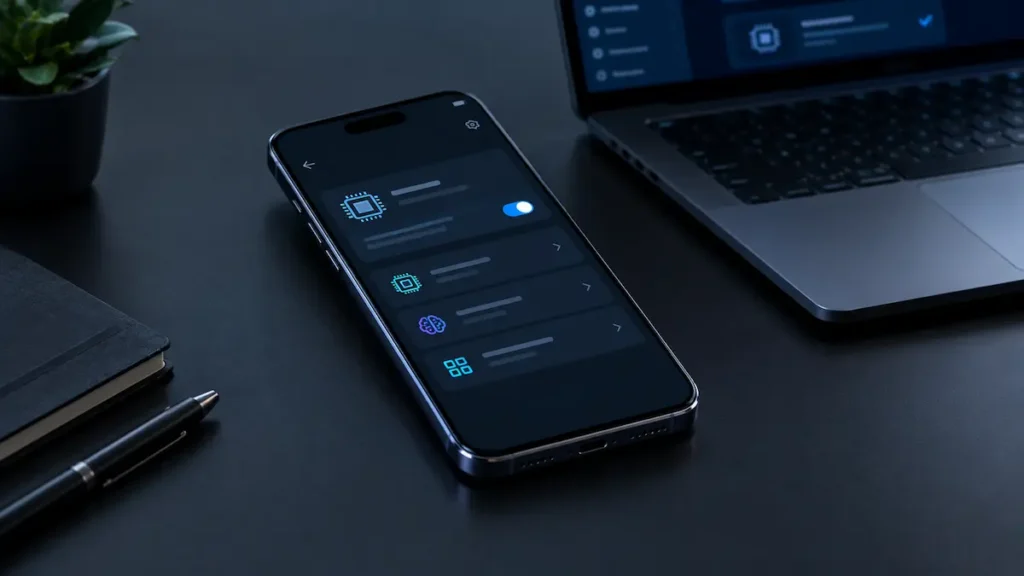
- Review AI privacy settings. Some phones let you restrict AI processing to the device. Samsung, for example, offers “Process data only on device” in its Galaxy AI settings on supported devices, though enabling it can limit some features. The menu path can differ between software versions.
- Test offline functionality where supported. Turn off your connection and try the feature. A feature that keeps working offline may be processing locally, but offline operation alone isn’t definitive proof of how every part of the feature handles data.
- Check language and regional restrictions. A feature may require a particular operating-system version, language pack, account, or regional configuration.
The bottom line: check the processing method of the feature you intend to use, rather than relying on an “AI phone” label or a processor specification alone.
Why On-Device AI Matters When Buying a Phone
Privacy. When a task is processed entirely on your phone, that task’s data doesn’t need to be sent to a remote AI server, which can reduce data exposure. But on-device processing doesn’t automatically guarantee full privacy. It depends on how that specific feature handles telemetry, account sync, diagnostics, and any cloud components it still uses.
Speed. On-device processing can reduce latency because the device isn’t waiting on a request to travel to a server and back. It’s often fast, though not instant. Actual speed depends on model size, your processor, and the complexity of the task.
Offline access. When a feature is designed to run entirely on-device, it can keep working without an internet connection. Not every AI feature marketed alongside “on-device AI” is fully offline-capable, so this varies by feature.
Hardware requirements. Running AI locally takes real processing power, which is why more advanced on-device features tend to appear first on newer, higher-end chips.
On-Device AI vs. Cloud AI: The Core Trade-off
| On-Device AI | Cloud AI | |
|---|---|---|
| Where processing occurs | On the device, for that task | Remote servers |
| Latency | Often lower | Depends on network + server response |
| Works offline | If the feature is fully on-device | Generally no |
| Data handling | Can avoid transmitting task data for processing | May transmit task data to remote servers for processing |
| Model size | Often constrained by device resources | Can use larger models |
| Common strengths | Low-latency, local tasks | More computationally demanding tasks |
Neither fully replaces the other, which is why phones are increasingly built to switch between them depending on the task.
Frequently Asked Questions
Is on-device AI more private than cloud AI?
It can reduce data exposure for that specific feature, but it isn’t a full privacy guarantee. Telemetry, account data and cloud-connected parts of the same feature still matter.
Does on-device AI drain your phone’s battery faster?
It uses battery because processing takes computation, though dedicated AI accelerators can handle some workloads more efficiently than a general-purpose processor. The impact depends on the feature, model, processor and how long the task runs. Cloud AI also draws power through the network connection.
Can on-device AI work without the internet?
Yes, when a feature is designed to run entirely on-device. Hybrid features that rely partly on the cloud won’t fully work offline.
Do I need to buy a new phone to get on-device AI?
Not necessarily, but newer phones are more likely to support advanced features. Support depends on your processor, RAM, operating system, available model and the specific feature, not just the phone’s age.
Is on-device AI always better than cloud AI?
No. It offers lower latency, offline operation and less data transmission for a given task, while cloud AI can run larger, more demanding models. Most phones combine both.
Does every AI feature on an “AI phone” run on-device?
No. A phone may use local processing for some features, cloud processing for others, and a combination of both. Check the processing requirements of the specific feature you intend to use.
Is on-device AI the same as edge AI?
Not exactly. On-device AI is a type of edge AI. Edge AI is the broader category, which also includes AI running on nearby local servers or industrial equipment, not just personal devices.
The Takeaway
Don’t judge a phone by whether “AI” appears on the spec sheet. Check which features actually run on-device, which lean on the cloud, and which switch between the two. That determines the speed, privacy, and offline reliability you’ll experience day to day.
Sources & Further Reading
- Apple: Private Cloud Compute: A New Frontier for AI Privacy in the Cloud
- Samsung Support: How to Tell On-Device and Cloud Galaxy AI Features Apart
- Google: ML Kit GenAI APIs and Gemini Nano (built on AICore)
- European Data Protection Supervisor: TechSonar Report 2025, including on-device AI
- Coursera: On-Device AI overview