
Introduction
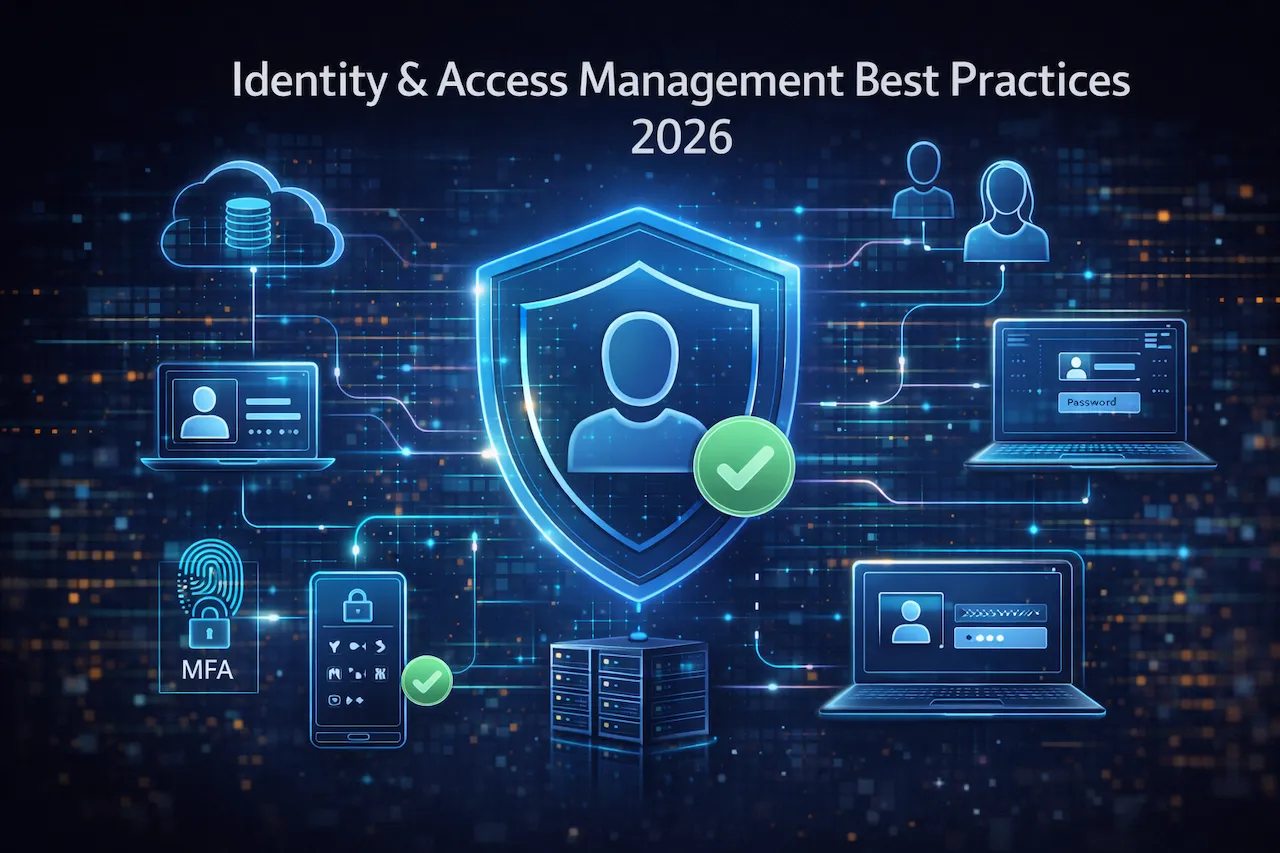
Whether you’re building your IAM framework from scratch or enhancing existing controls, understanding and implementing identity and access management best practices will significantly strengthen your security posture.
In 2026, organizations face an unprecedented challenge: securing digital identities across increasingly complex cloud environments while supporting remote and hybrid workforces. According to recent IBM research, the average cost of a data breach has reached $4.45 million, with compromised credentials accounting for nearly 19% of all breaches. As companies migrate to multi-cloud architectures and adopt dozens of SaaS applications, implementing robust identity and access management best practices has become non-negotiable.
The shift toward zero trust security models, combined with strict regulatory requirements like GDPR and HIPAA, means that controlling who accesses what—and when—determines whether your organization stays secure or becomes the next headline. With 82% of enterprises now operating in hybrid or multi-cloud environments, traditional perimeter-based security no longer works. Identity has become the new perimeter.
This comprehensive guide explores actionable identity and access management best practices that protect your users, data, and cloud systems while maintaining operational efficiency and regulatory compliance.
What Is Identity and Access Management (IAM)?
Establishing strong identity and access management best practices begins with understanding what IAM truly encompasses and why it matters for your organization’s security.
Identity and Access Management explained in simple terms
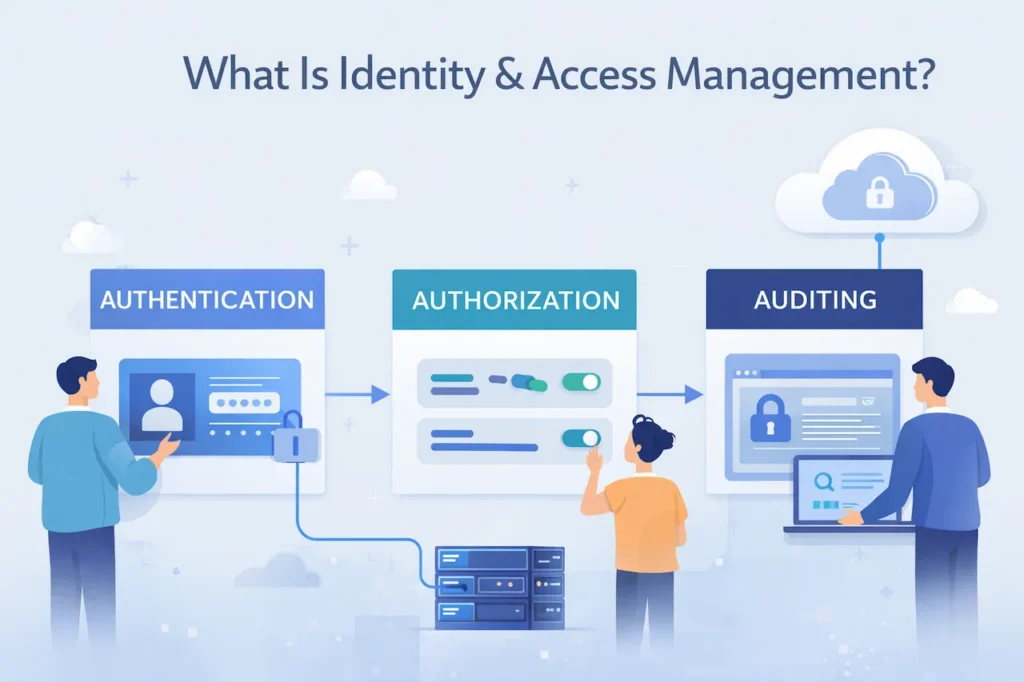
Following identity and access management best practices means treating every identity—whether human or machine—as a potential security risk that requires continuous verification and monitoring. Identity and Access Management (IAM) is a framework of policies, processes, and technologies that ensures the right people access the right resources at the right time for the right reasons. Think of IAM as your organization’s digital security guard—it verifies who someone is (authentication), determines what they can access (authorization), and tracks their activities (auditing).
IAM systems manage digital identities throughout their entire lifecycle, from onboarding new employees to removing access when they leave. This includes managing user credentials, access permissions, multi-factor authentication, and session controls across all applications and systems.
Why IAM is critical for modern cloud environments
Following proven cloud security tips for protecting your data online alongside strong identity and access management best practices creates comprehensive protection for cloud-based assets. Cloud environments present unique security challenges that make IAM absolutely essential. Unlike traditional on-premise systems with clearly defined network boundaries, cloud resources exist across multiple platforms, regions, and service providers. Employees access applications from various devices and locations, often outside the corporate network.
Without proper IAM controls, cloud environments become vulnerable to unauthorized access, data exfiltration, and compliance violations. A single misconfigured S3 bucket or overly permissive Azure role can expose millions of records. IAM provides the governance framework needed to maintain visibility and control across distributed cloud architectures. Following proven cloud security tips for protecting your data online alongside strong IAM practices creates comprehensive protection.
IAM vs traditional access control systems
Organizations adopting identity and access management best practices recognize that modern threats require modern solutions that continuously validate trust rather than assuming it. Traditional access control relied heavily on network perimeters—if you were inside the firewall, you were trusted. These systems used static permissions and simple username-password combinations, which worked when employees accessed resources from office computers.
Modern IAM solutions operate on zero trust principles, verifying every access request regardless of location. They provide dynamic, context-aware access decisions based on user identity, device health, location, and behavior patterns. Unlike legacy systems, today’s IAM platforms integrate seamlessly with cloud services, support federated identities, and enable single sign-on across hundreds of applications.
Why Identity and Access Management Best Practices Matter
Understanding why identity and access management best practices matter helps organizations prioritize IAM investments and build executive support for security initiatives.
Common IAM security risks and breach scenarios
Implementing identity and access management best practices addresses these vulnerabilities by establishing controls that limit access, verify identities, and monitor suspicious activities before they escalate into breaches.
Poor IAM practices create critical vulnerabilities that attackers actively exploit. Credential stuffing attacks, where hackers use stolen passwords to access multiple accounts, succeed because organizations fail to implement multi-factor authentication. Privilege escalation occurs when users retain access to sensitive systems long after they need them, creating unnecessary risk.
Insider threats represent another major concern—whether malicious or accidental, employees with excessive permissions can cause devastating damage. Third-party vendor access, if not properly managed, extends your attack surface to external partners who may have weaker security controls.
Business and financial impact of poor access control
Understanding patterns from major cybersecurity incident analysis helps organizations avoid similar IAM failures and demonstrates why investing in identity and access management best practices delivers significant ROI through breach prevention.
Beyond direct breach costs, inadequate IAM practices trigger regulatory fines, legal liabilities, and reputational damage. GDPR violations can cost up to 4% of annual global revenue. HIPAA breaches result in penalties ranging from $100 to $50,000 per violation, with annual maximums reaching $1.5 million per category.
Operational disruptions from ransomware attacks, often enabled by compromised credentials, can halt business operations for weeks. Recovery costs include forensic investigations, system restoration, customer notification, credit monitoring services, and potential lawsuits. The average recovery time from an identity-related breach exceeds 280 days. Understanding patterns from major cybersecurity incident analysis helps organizations avoid similar IAM failures.
IAM’s role in Zero Trust security architecture
Zero Trust architecture fundamentally assumes that no user or device should be automatically trusted, even if they’re inside the network perimeter. IAM serves as the foundation for Zero Trust by continuously verifying identities, enforcing least privilege access, and monitoring for anomalous behavior.
Every access request triggers real-time evaluation of multiple factors: user identity, device security posture, location, requested resource sensitivity, and risk score. This continuous authentication and authorization approach, central to identity and access management best practices, prevents lateral movement and contains potential breaches.
Core Principles of Identity and Access Management
The core principles of identity and access management best practices provide the foundation for secure, scalable, and compliant access control systems.
Least privilege access principle
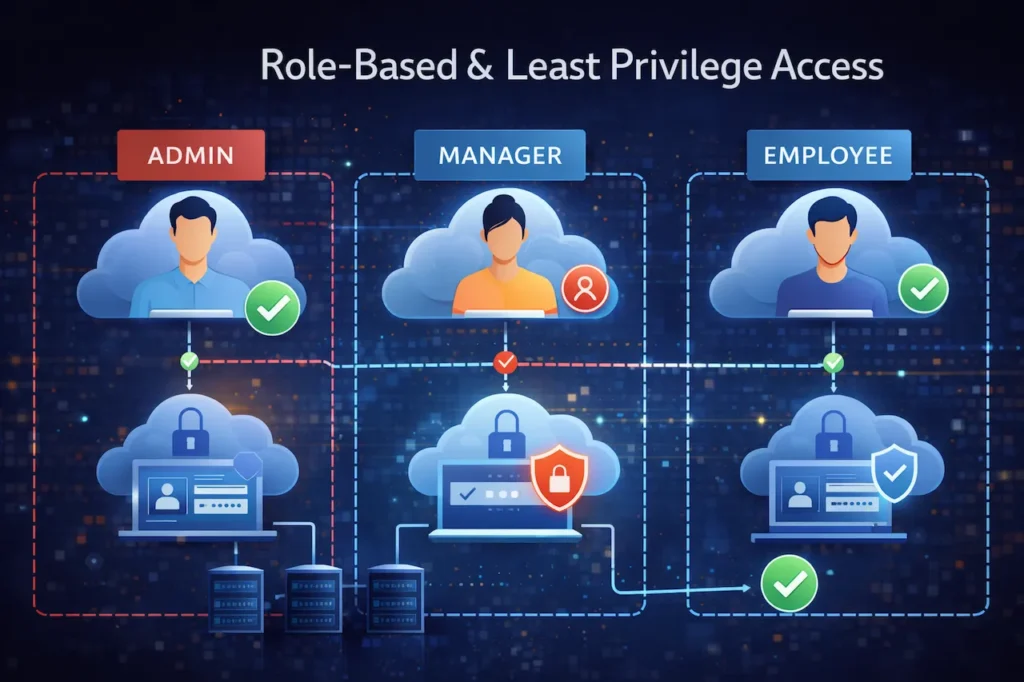
Following identity and access management best practices for least privilege ensures that even if credentials are compromised, the potential damage remains contained and limited to specific resources. Least privilege means granting users only the minimum access required to perform their job functions—nothing more. This principle dramatically reduces your organization’s attack surface by limiting what damage an attacker can cause if they compromise an account.
Implementing least privilege requires identifying role-specific requirements, documenting access needs, and regularly reviewing permissions. Instead of granting broad administrative access, create granular roles tied to specific tasks. For example, a developer might need read access to production databases for troubleshooting but shouldn’t have write or delete permissions.
Strong authentication mechanisms
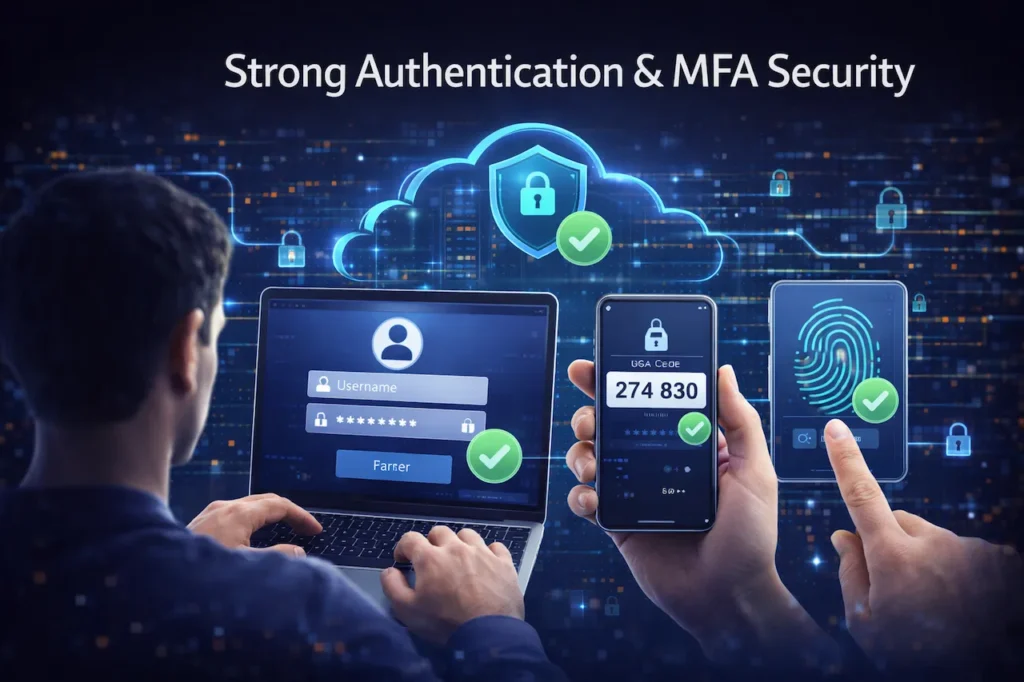
Organizations committed to identity and access management best practices prioritize strong authentication as the first line of defense against credential-based attacks. Strong authentication goes beyond simple passwords by requiring multiple verification factors. This includes something you know (password), something you have (security token or smartphone), and something you are (biometric data). Even if passwords are compromised, additional factors prevent unauthorized access.
Password policies should enforce complexity requirements, regular rotation, and prohibition of previously used passwords. However, the future points toward passwordless authentication using hardware keys, biometrics, or certificate-based systems that eliminate password vulnerabilities entirely.
Centralized identity management
Centralizing identity management is one of the fundamental identity and access management best practices that simplifies security operations while strengthening overall protection. Centralized identity management consolidates user accounts, access policies, and authentication mechanisms into a single authoritative source. This approach eliminates scattered identity silos across different applications and platforms, reducing administrative overhead and improving security visibility.
Identity providers (IdPs) like Azure Active Directory, Okta, or Google Workspace serve as central authentication hubs, enabling single sign-on across all connected applications. Users authenticate once and gain access to authorized resources without repeatedly entering credentials, improving both security and user experience. Proper centralization also helps organizations achieve better cloud visibility and understanding of their access patterns.
Continuous monitoring and auditing
Continuous monitoring represents one of the most critical identity and access management best practices, enabling organizations to detect and respond to threats in real-time rather than discovering breaches months after they occur. Effective IAM requires ongoing visibility into access patterns, permission changes, and authentication events. Security Information and Event Management (SIEM) systems aggregate IAM logs, detect anomalies, and alert security teams to suspicious activities like unusual login locations, after-hours access, or multiple failed authentication attempts.
Regular access audits verify that permissions align with current job responsibilities. Automated tools can identify dormant accounts, excessive privileges, and policy violations. These audits provide evidence of compliance for regulatory requirements and help identify potential security gaps before they’re exploited.
Authentication Best Practices in Identity and Access Management
Implementing robust authentication mechanisms stands among the most important identity and access management best practices for preventing unauthorized access.
Multi-factor authentication (MFA) best practices
Organizations following identity and access management best practices deploy MFA not as an optional security layer but as a mandatory requirement for all user accounts.
Implementing MFA is among the most critical identity and access management best practices. Microsoft research shows MFA blocks 99.9% of account compromise attacks. Deploy MFA universally—not just for administrators but for all users accessing sensitive systems or data.
Choose MFA methods appropriate for your security requirements. Time-based one-time passwords (TOTP) via authenticator apps provide better security than SMS codes, which can be intercepted. For high-security environments, hardware security keys using FIDO2 standards offer phishing-resistant authentication that can’t be remotely compromised.
Consider context-aware MFA that adjusts authentication requirements based on risk factors. Low-risk scenarios (known device, familiar location) might require just one factor, while high-risk situations (new device, unusual location) trigger additional verification steps.
Passwordless authentication and future trends
Forward-thinking organizations incorporating passwordless authentication into their identity and access management best practices gain competitive advantage through enhanced security and improved user experience.
Passwordless authentication eliminates passwords entirely, removing the weakest link in most security chains. Windows Hello, Touch ID, and FIDO2 security keys authenticate users through biometrics or cryptographic keys stored on physical devices.
This approach prevents phishing, credential stuffing, and password reuse attacks since there are no passwords to steal. Users benefit from faster, more convenient authentication while organizations reduce password reset costs and improve security posture. Major platforms including Microsoft, Google, and Apple have committed to passwordless standards, signaling the direction of future authentication.
Adaptive and biometric authentication methods
Including adaptive and biometric methods in your identity and access management best practices enables intelligent, context-aware security that balances protection with usability.
Adaptive authentication uses machine learning to assess risk in real-time and adjust security requirements accordingly. The system analyzes device fingerprints, geolocation, access patterns, and user behavior to calculate a risk score for each authentication attempt.
High-risk scenarios automatically trigger step-up authentication—additional verification challenges beyond standard login. For example, accessing payroll systems from a new country might require manager approval, while routine access from a corporate laptop requires only standard MFA.
Biometric authentication, including fingerprint scanning, facial recognition, and behavioral biometrics (typing patterns, mouse movements), provides strong security that’s difficult to replicate. However, implement biometrics carefully with privacy protections and backup authentication methods for when biometric systems fail.
Authorization and Access Control Best Practices
Authorization controls determine what authenticated users can access, making them essential components of comprehensive identity and access management best practices.
Role-Based Access Control (RBAC)
Implementing RBAC represents one of the foundational identity and access management best practices that scales efficiently as organizations grow and evolve.
RBAC assigns permissions based on organizational roles rather than individual users. A “Marketing Manager” role receives specific permissions, and anyone assigned that role inherits those access rights. This approach simplifies permission management, especially in larger organizations.
Define roles based on job functions, not individual people. Create role hierarchies that reflect organizational structure, allowing inheritance of permissions. Regularly review and update role definitions as business needs evolve. Document each role’s purpose and permissions to maintain clarity and support compliance audits.
Attribute-Based Access Control (ABAC)
Organizations advancing their identity and access management best practices beyond basic RBAC leverage ABAC for granular, policy-driven access control that adapts to complex business requirements. ABAC makes access decisions based on attributes—user attributes (department, clearance level), resource attributes (classification, data sensitivity), and environmental attributes (time, location, device security status). This fine-grained approach enables complex access policies impossible with RBAC alone.
For example, an ABAC policy might allow only users from the Finance department, accessing from corporate networks during business hours, using company-managed devices, to view confidential financial reports. This flexibility supports dynamic, context-aware security requirements essential for cloud environments.
Privileged Access Management (PAM)
Securing privileged access through dedicated PAM solutions ranks among the most critical identity and access management best practices, as compromised privileged accounts enable attackers to cause maximum damage across your entire infrastructure.
Privileged accounts—administrators, root users, service accounts—represent the highest-value targets for attackers. PAM solutions provide additional security controls including just-in-time access provisioning, session recording, and credential vaulting.
Implement privileged access workflows requiring approval before granting elevated permissions. Time-limit privileged sessions so access automatically expires. Record privileged sessions for audit and forensic purposes. Regularly rotate privileged credentials and use credential vaulting solutions to prevent hard-coded passwords in applications.
Identity and Access Management for Cloud and SaaS
Cloud and SaaS environments introduce unique challenges that require specialized identity and access management best practices tailored to distributed architectures.
IAM challenges in multi-cloud environments
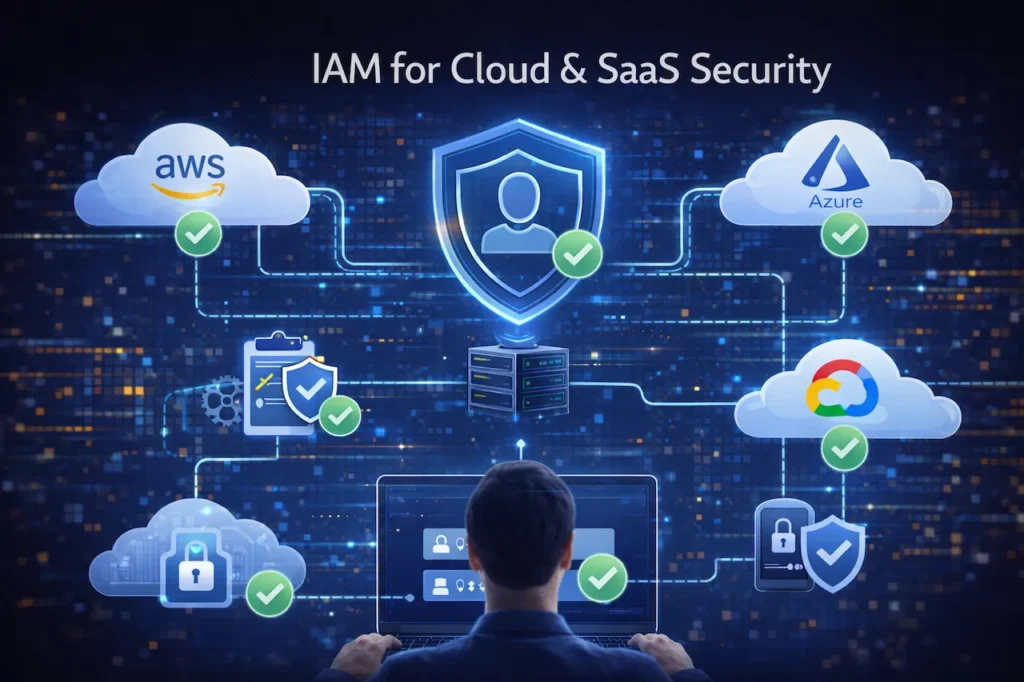
Organizations implementing identity and access management best practices for multi-cloud must establish unified identity governance that works consistently across all cloud platforms and providers.
Multi-cloud strategies introduce significant IAM complexity. Each cloud provider—AWS, Azure, Google Cloud—uses different identity models, permission structures, and management tools. Maintaining consistent security policies across platforms while managing distinct IAM systems creates operational challenges and security gaps.
Shadow IT compounds these challenges when departments adopt cloud services without central IT oversight. Employees might create unsanctioned accounts or share credentials, bypassing established security controls. Visibility becomes difficult when identities and access policies fragment across dozens of platforms.
IAM best practices for AWS, Azure, and Google Cloud
For AWS, leverage IAM roles instead of long-term access keys. Use AWS Organizations for centralized governance and implement Service Control Policies (SCPs) to enforce security boundaries. Enable CloudTrail logging for comprehensive audit trails of all API calls.
Azure Active Directory serves as the identity foundation for Azure services. Implement Azure AD Conditional Access policies for context-aware authentication. Use Azure AD Privileged Identity Management for just-in-time administrative access. Enable Azure Security Center for continuous IAM security assessment.
Google Cloud Platform relies on Cloud Identity for user management. Implement organization policies to enforce security controls across projects. Use Identity-Aware Proxy (IAP) for context-aware access to applications. Enable Cloud Audit Logs to track identity and access activities. Organizations should regularly conduct a cloud security audit of modern cloud environments to verify IAM configurations remain secure.
Securing SaaS applications using IAM
SaaS applications present unique security challenges since they exist outside your direct control. Implement Cloud Access Security Broker (CASB) solutions to gain visibility into SaaS usage, enforce security policies, and prevent data leakage.
Use SAML or OpenID Connect for federated authentication, ensuring your central identity provider manages SaaS access. This enables single sign-on and centralizes access control. Require MFA for all SaaS applications, especially those handling sensitive data. Regularly review SaaS application permissions and third-party integrations that access your data.
IAM Compliance and Regulatory Requirements
Regulatory compliance demands rigorous identity and access management best practices that demonstrate proper controls, documentation, and audit capabilities.
IAM for GDPR and HIPAA compliance
GDPR requires organizations to implement “appropriate technical and organizational measures” to protect personal data. Identity and access management best practices directly support GDPR compliance by controlling data access, maintaining audit logs, and enabling access removal for data subject requests.
Document who accessed personal data, when, and for what purpose. Implement role-based access limiting data access to authorized personnel. Ensure access logs retained for compliance demonstration can survive audit scrutiny.
HIPAA requires covered entities to implement technical safeguards protecting electronic Protected Health Information (ePHI). IAM controls satisfy multiple HIPAA requirements including unique user identification, emergency access procedures, automatic logoff, and encryption and decryption capabilities. Regular access reviews verify minimum necessary access standards.
Role of IAM in ISO 27001 and SOC 2
ISO 27001 information security management systems include extensive access control requirements. IAM processes support controls for user access provisioning, privilege management, password policies, and access rights reviews. Documented IAM policies and procedures provide evidence during ISO 27001 certification audits.
SOC 2 Trust Services Criteria evaluate controls related to security, availability, and confidentiality. IAM directly addresses multiple trust criteria by controlling logical access, managing authentication, restricting privileged access, and maintaining audit logs. Organizations pursuing SOC 2 compliance must demonstrate mature IAM practices.
Audit readiness and access documentation
Maintaining audit-ready IAM documentation requires standardized processes for access requests, approvals, and reviews. Document role definitions, permission mappings, and policy rationales. Maintain evidence of access reviews showing who reviewed access, when, what changes resulted, and approval records.
Implement automated reporting capabilities that quickly generate access summaries, permission changes, and compliance status. These reports accelerate audit responses and demonstrate continuous compliance. Version control IAM policies to track changes over time and show policy evolution.
Common Identity and Access Management Mistakes
Avoiding common mistakes requires understanding which identity and access management best practices organizations most frequently overlook or implement incorrectly.
Over-privileged user accounts
The most prevalent IAM mistake involves granting excessive permissions “just in case” they’re needed later. Over-privileged accounts expand attack surfaces and create compliance risks. When compromised, attackers inherit these excessive permissions, enabling greater damage.
Combat privilege creep through regular access reviews and automated tools that identify unused permissions. Implement just-in-time access for temporary privilege elevation rather than permanent administrative rights. Apply least privilege rigorously, even when users complain about access restrictions.
Poor identity lifecycle management
Many organizations excel at provisioning new user access but struggle with deprovisioning when employees leave or change roles. Former employee accounts remaining active create significant security vulnerabilities. Similarly, users changing departments often retain old permissions while gaining new ones, accumulating unnecessary access.
Automate identity lifecycle management by integrating IAM systems with HR platforms. Trigger automatic account deactivation when employees terminate. Implement role-based access that automatically adjusts when users transfer departments. Conduct quarterly access recertification to catch orphaned permissions.
Lack of regular access reviews
Access reviews verify that current permissions align with business requirements and identify anomalies requiring remediation. Many organizations conduct reviews annually or never, allowing inappropriate access to persist for extended periods.
Implement quarterly access reviews for standard users and monthly reviews for privileged accounts. Automated tools can streamline reviews by highlighting high-risk permissions, dormant accounts, and policy violations. Make managers accountable for reviewing their team’s access and documenting approval decisions.
Real-World IAM Security Breach Examples
Examining real-world breaches demonstrates the consequences of failing to implement identity and access management best practices and provides valuable lessons for security teams.
How weak IAM caused major data breaches
The 2019 Capital One breach exposed data of 100 million customers due to a misconfigured web application firewall combined with overly permissive IAM roles. An external attacker exploited the misconfiguration to assume an AWS IAM role with excessive permissions, accessing sensitive S3 buckets. The breach cost Capital One $80 million in settlements and immeasurable reputational damage.
SolarWinds suffered one of history’s most sophisticated supply chain attacks partly due to compromised credentials and weak access controls. Attackers obtained access to SolarWinds’ development environment, inserted malicious code into software updates, and distributed compromised software to thousands of customers including government agencies.
Twitter’s 2020 breach demonstrated social engineering risks when attackers manipulated employees into revealing credentials that provided access to internal administrative tools. The compromised access enabled attackers to take over high-profile accounts. Better identity and access management best practices including privileged access controls and monitoring could have limited the damage.
Lessons learned from IAM failures
These breaches highlight critical lessons. First, cloud IAM misconfigurations represent the most common vulnerability path. Regular security assessments and automated policy enforcement prevent configuration drift. Second, excessive permissions magnify breach impact—least privilege limits what attackers can accomplish. Third, monitoring detects suspicious access patterns before significant damage occurs.
Organizations must treat IAM as a continuous security practice, not a one-time implementation. Regular training ensures employees recognize social engineering attempts. Incident response plans should address identity compromise scenarios specifically, including rapid credential rotation and access revocation procedures.
How to Implement Identity and Access Management Best Practices
Assessing existing identity infrastructure
Begin IAM improvement by thoroughly assessing current identity systems, access policies, and authentication mechanisms. Inventory all identity sources including Active Directory, cloud identity providers, and application-specific user databases. Map data flows showing how identities authenticate and access resources.
Identify security gaps such as accounts lacking MFA, overly permissive roles, orphaned accounts, and inadequate logging. Evaluate whether current IAM tools support your security requirements or if platform upgrades or replacements are necessary. Benchmark your practices against industry frameworks like NIST or CIS Controls.
Defining IAM roles and policies
Develop comprehensive role definitions aligned with job functions and organizational structure. Involve business stakeholders to understand actual access requirements rather than assuming needs. Document each role’s purpose, required permissions, and approval workflows.
Create policy documents establishing IAM standards including password requirements, MFA enforcement, access review frequencies, and privileged access procedures. Define exception processes for legitimate deviations from standard policies. Ensure policies address all environments—on-premise, cloud, and SaaS applications.
Implementing IAM tools and monitoring
Select IAM platforms supporting your technical requirements and integration needs. Cloud-native organizations might choose cloud identity providers like Azure AD or Google Cloud Identity. Enterprise environments may require comprehensive IAM suites from vendors like Okta, Ping Identity, or ForgeRock.
Implement centralized logging aggregating authentication events, permission changes, and access activities. Configure alerts for suspicious patterns including impossible travel scenarios, unusual access times, and bulk data downloads. Integrate IAM data with SIEM platforms for correlation with other security events.
Training employees on IAM security
Technology alone cannot secure identities—user awareness and behavior are equally important. Conduct regular security awareness training covering password hygiene, phishing recognition, MFA importance, and social engineering tactics. Make training engaging through realistic scenarios and simulated phishing exercises.
Educate managers about their access review responsibilities and provide clear guidance on approval processes. Train IT staff on IAM tools, security best practices, and incident response procedures. Create accessible documentation that users can reference when questions arise about authentication or access requests.
FAQs – Identity and Access Management Best Practices
What are the most important identity and access management best practices for small businesses?
Even resource-constrained small businesses can implement fundamental identity and access management best practices that dramatically reduce security risks without requiring enterprise-level budgets or specialized expertise. Small businesses should prioritize multi-factor authentication, role-based access control, and regular access reviews. Start by implementing MFA for all accounts, especially those accessing email and financial systems. Define clear roles limiting access to sensitive data. Review access quarterly to remove unnecessary permissions and deactivate former employee accounts immediately.
How does IAM support Zero Trust security?
Organizations cannot successfully implement Zero Trust architecture without first establishing robust identity and access management best practices that enable continuous verification and least privilege access. IAM forms the foundation of Zero Trust by continuously verifying identities before granting access. Rather than trusting users based on network location, Zero Trust IAM validates every access request using multiple factors including user identity, device health, location, and behavior patterns. This approach prevents lateral movement and contains potential breaches.
What’s the difference between authentication and authorization in IAM?
Many security experts now consider passwordless authentication among the emerging identity and access management best practices that will become standard requirements within the next few years. Authentication verifies who you are—confirming your claimed identity through passwords, biometrics, or security tokens. Authorization determines what you can access—the permissions and resources available after successful authentication. Both are essential components of identity and access management best practices working together to secure systems.
Should we implement passwordless authentication?
Passwordless authentication offers significant security benefits by eliminating password-based attacks including phishing, credential stuffing, and password reuse. If your organization uses modern platforms supporting FIDO2 standards, passwordless authentication provides stronger security with improved user experience. Start with pilot programs before full deployment.
How often should we review user access permissions?
Conduct quarterly access reviews for standard users and monthly reviews for privileged accounts. More frequent reviews for high-risk roles help identify inappropriate access quickly. Automate review processes where possible to reduce administrative burden while maintaining security effectiveness.
What IAM tools are best for multi-cloud environments?
Multi-cloud IAM requires platforms supporting federated identity across AWS, Azure, and Google Cloud. Solutions like Okta, Microsoft Azure AD, Ping Identity, and Google Cloud Identity offer cross-platform integration. Choose tools providing centralized policy management, consistent enforcement, and comprehensive visibility across all cloud environments.
How can we prevent privilege creep in IAM systems?
Prevent privilege creep through regular access recertification, automated permission analysis, and just-in-time access provisioning. Implement role-based access control with defined permissions rather than accumulating individual grants. Use automated tools identifying unused permissions and excessive access requiring remediation.
What are the biggest IAM challenges for remote workforces?
Remote workforces access resources from various locations and devices, increasing security risks. Key challenges include securing personal devices, validating access from unknown locations, preventing credential sharing, and maintaining visibility across distributed environments. Address these through conditional access policies, device management, MFA enforcement, and comprehensive monitoring.
Is IAM compliance different for cloud vs on-premise systems?
Compliance requirements remain consistent, but implementation differs. Cloud IAM relies on provider-native tools and shared responsibility models. Organizations must understand what security controls cloud providers manage versus customer responsibilities. Document cloud IAM configurations, maintain audit logs, and implement controls meeting compliance requirements regardless of deployment model.
How does IAM integrate with existing security tools?
Modern IAM platforms integrate with SIEM systems for security event correlation, CASB solutions for SaaS security, endpoint detection tools for device security posture, and ticketing systems for access request workflows. API-based integrations enable automated provisioning, centralized logging, and coordinated incident response across security tools.
Conclusion and Key Takeaways
Implementing comprehensive identity and access management best practices has evolved from optional security enhancement to business imperative. As organizations embrace cloud architectures, remote workforces, and expanding digital ecosystems, identity serves as the critical security control determining whether sensitive data remains protected or becomes compromised.
The core principles remain straightforward: grant least privilege access, enforce strong authentication through MFA or passwordless methods, centralize identity management, and continuously monitor access activities. Support these fundamentals with role-based access control, regular access reviews, and automated lifecycle management preventing orphaned permissions.
Cloud and SaaS environments demand particular attention—implement consistent policies across platforms, leverage cloud-native IAM tools, and address multi-cloud complexity through centralized identity providers. Organizations should also establish comprehensive cloud backup and disaster recovery readiness plans that include IAM credential recovery procedures to ensure business continuity during security incidents.
Ensure compliance with GDPR, HIPAA, ISO 27001, and SOC 2 through documented policies, access controls, and audit-ready evidence. Avoid common mistakes like over-privileged accounts, poor lifecycle management, and infrequent access reviews. Learn from major breaches demonstrating that IAM failures create devastating consequences far exceeding implementation costs.
Start your IAM journey by assessing current infrastructure, defining clear roles and policies, implementing appropriate tools, and training employees on security responsibilities. Remember that identity and access management best practices require ongoing commitment—not one-time projects but continuous processes adapting to evolving threats and business needs.
The investment in robust IAM protects your organization’s most valuable assets: customer data, intellectual property, and business reputation. In 2026’s threat landscape, effective identity and access management isn’t just about preventing breaches—it’s about enabling secure business growth, maintaining customer trust, and achieving competitive advantage through demonstrable security excellence.