
Most WordPress sites aren’t hacked because they’re valuable—they’re hacked because they’re careless. Learning how to secure a WordPress site is less about paranoia and more about closing obvious doors attackers check first. WordPress security today isn’t optional background noise; it’s a core part of running any site that expects to stay online.
This guide focuses on practical protection, not security theater. If your goal is to protect a WordPress website without drowning in jargon or false urgency, you’re in the right place. Everything here is written for real humans managing real sites who want a secure WordPress site that doesn’t break or slow down.
Why WordPress Security Is Important
Security failures rarely announce themselves politely. A WordPress site can look normal while silently leaking data, serving malware, or hemorrhaging SEO trust. Understanding how to secure a WordPress site starts with recognizing that most damage happens before you notice anything is wrong. Security isn’t just about blocking attackers; it’s about preserving credibility, rankings, and uptime.
WordPress security importance becomes clearer when you realize most attacks are automated. Bots don’t care if your site is small or new—they care if it’s vulnerable. Weak protection exposes your website to data theft, blacklisting, and irreversible reputation loss. Midway through any security audit, the same truth emerges: sites that ignore fundamentals invite trouble. That’s why knowing how to secure a WordPress site isn’t a technical luxury—it’s basic operational hygiene in an increasingly hostile web.
Common WordPress Security Threats You Must Know
Threats don’t evolve randomly; they exploit predictable behavior. Knowing how to secure a WordPress site means understanding the specific weaknesses attackers repeatedly target. These aren’t exotic hacks—they’re routine failures caused by neglect, outdated software, or poor configuration.
Most WordPress vulnerabilities are not flaws in WordPress itself but in how it’s used. Attackers rely on scale, not sophistication, cycling through millions of sites looking for the same mistakes. Halfway through any breach investigation, the pattern is always familiar. Learning how to secure a WordPress site effectively begins by recognizing these patterns before they become incidents.
Brute-Force Login Attacks
The login page is relentlessly tested because it’s predictable. When learning how to secure a WordPress site, it’s critical to understand that brute force attacks on WordPress don’t guess once—they guess thousands of times per minute. Weak credentials turn this into a numbers game attackers usually win.
Automated WordPress login attacks exploit unlimited attempts and common usernames. Without controls, bots don’t need skill—just time. The moment login friction increases, most attacks fail and move on.
Malware Injections
Malware doesn’t always deface a site; often it hides quietly. Anyone serious about how to secure a WordPress site must account for malicious code injected through vulnerable plugins or themes. These infections can redirect visitors, inject spam links, or siphon sensitive data.
WordPress malware thrives on invisibility. By the time symptoms appear, damage is already done. Prevention is far cheaper than cleanup.
Outdated Plugins and Themes
Updates aren’t cosmetic—they’re defensive. If you’re learning how to secure a WordPress site, outdated WordPress plugins and vulnerable themes should be your first red flag. Most exploits target known vulnerabilities with public documentation.
Attackers don’t guess; they scan for version numbers. An unpatched plugin is essentially an open invitation.
Weak Passwords
Passwords remain a favorite entry point because humans reuse them. Understanding how to secure a WordPress site requires acknowledging that weak WordPress passwords collapse even strong systems. One compromised account can cascade into full site control.
Security isn’t about memorization—it’s about entropy. Strong credentials remove the easiest win attackers look for.
Insecure Hosting
Hosting is infrastructure, not decoration. Anyone serious about how to secure a WordPress site must evaluate insecure WordPress hosting as a foundational risk. Poor server isolation, outdated PHP, and missing firewalls nullify downstream protections.
You can’t plug-in your way out of bad hosting.
How to Secure a WordPress Site Step by Step
Security works best when it’s layered, not reactive. The most reliable way to approach how to secure a WordPress site is to treat protection as a sequence, not a single fix. Each step reinforces the next, reducing both attack surface and blast radius.
Rushing ahead without fundamentals creates fragile security. Midway through implementation, the real lesson of how to secure a WordPress site becomes clear: consistency beats complexity every time.
Choose a Secure WordPress Hosting Provider
Hosting determines your ceiling. When considering how to secure a WordPress site, secure WordPress hosting matters more than most plugins combined. Server-level firewalls, isolation, and patching stop attacks before WordPress even loads.
The best hosting for WordPress security minimizes exposure automatically. If security features are optional add-ons, that’s a warning sign.
Always Keep WordPress, Themes, and Plugins Updated
Updates close doors attackers already know about. Any guide on how to secure a WordPress site that downplays updates is misleading. WordPress security updates quietly fix vulnerabilities long before headlines appear.
Delaying updates doesn’t increase stability—it increases risk.
Use Strong Login Credentials and Proper User Roles
Access control is damage control. Understanding how to secure a WordPress site means treating WordPress login security as a privilege, not a convenience. Strong WordPress passwords and disciplined user roles limit how far breaches can spread.
Most compromises escalate because permissions were too generous.
Install a Trusted WordPress Security Plugin
Plugins don’t replace discipline, but they add visibility. When evaluating how to secure a WordPress site, WordPress security plugins provide monitoring, firewalls, and alerts that manual checks miss.
The best security plugin for WordPress is the one you configure properly and keep updated.
Enable Two-Factor Authentication (2FA)
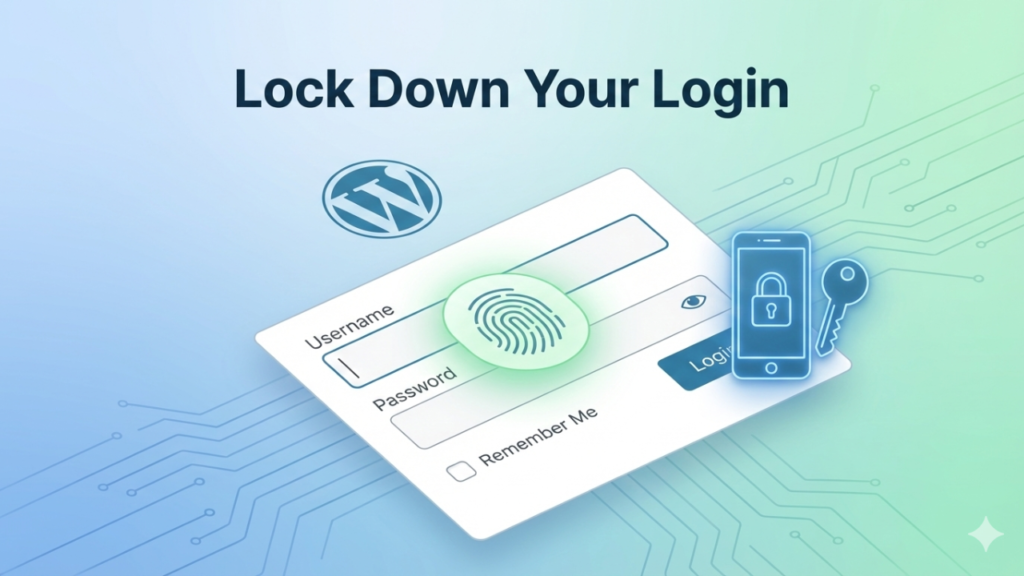
Passwords alone are obsolete. Anyone serious about how to secure a WordPress site should treat WordPress two-factor authentication as non-negotiable. 2FA for WordPress login neutralizes stolen credentials instantly.
Attackers rarely bother when a second factor blocks them.
Secure the WordPress Login Page
Predictability is exploitable. Securing the WordPress login page is a core part of how to secure a WordPress site effectively. Limiting login attempts and changing the WordPress login URL disrupts automated attacks.
Security improves dramatically with minimal friction.
Enable an SSL Certificate (HTTPS)
Encryption is trust infrastructure. Learning how to secure a WordPress site includes understanding that HTTPS protects data integrity, not just privacy. An SSL certificate for WordPress prevents interception and manipulation.
Browsers now punish sites that skip this step.
Regularly Back Up Your WordPress Site
Backups don’t prevent attacks—they end disasters. Any serious plan for how to secure a WordPress site includes WordPress backups stored offsite. A backup WordPress website recovers in minutes, not weeks.
Without backups, every incident becomes existential.
Protect WordPress Database and Files
Your database is the crown jewel. Knowing how to secure a WordPress site requires attention to WordPress database security and sane WordPress file permissions. Overexposure here turns small breaches into total loss.
Least access always wins.
Disable File Editing from WordPress Dashboard
Convenience creates risk. Disabling file editing in WordPress is a quiet but powerful move in how to secure a WordPress site. It blocks attackers from injecting code even after login compromise.
One toggle closes an entire attack class.
Advanced WordPress Security Tips
Advanced protection isn’t about paranoia—it’s about visibility. Once you understand how to secure a WordPress site at a baseline level, advanced WordPress security adds detection and response. Firewalls, logging, and WordPress security monitoring catch issues before users do.
These layers don’t replace basics; they amplify them.
Common WordPress Security Mistakes to Avoid
Most failures are self-inflicted. If you truly understand how to secure a WordPress site, you’ll recognize WordPress security mistakes as patterns, not accidents. Ignoring updates, using nulled plugins, and assuming size equals safety are common WordPress security errors.
Attackers rely on these assumptions.
How Often Should You Check WordPress Security?
Security decays without attention. Knowing how to secure a WordPress site includes adopting a rhythm, not reacting to crises. A simple WordPress security checklist reviewed regularly prevents slow drift into vulnerability.
Maintenance security is quiet, boring—and effective.
FAQs
Is WordPress secure?
WordPress is generally secure, but its safety depends entirely on how it’s maintained. Core WordPress software receives regular security updates that fix vulnerabilities, and most attacks exploit outdated themes, plugins, or weak login credentials rather than WordPress itself. By implementing strong passwords, two-factor authentication, regular backups, and trusted security plugins, you can significantly reduce risk. Understanding how to secure a WordPress site ensures your website remains protected against common cyber threats, giving you peace of mind while running your online business or blog.
Can WordPress be hacked?
Yes, WordPress can be hacked, especially if basic security measures are ignored. Most hacks happen due to weak passwords, outdated plugins, insecure hosting, or poorly configured user roles. Hackers often use automated scripts to scan millions of sites for these weaknesses. Learning how to secure a WordPress site proactively—through updates, firewall protection, and strict access controls—prevents most attacks. Even small websites without sensitive data are targeted because attackers look for any vulnerable entry point.
How to know if a WordPress site is hacked?
Signs of a hacked WordPress site can be subtle or obvious. Common indicators include unexpected redirects, unknown users added to your admin panel, new suspicious files, slow site performance, or search engine warnings labeling your site as unsafe. Malware can also inject spam links or ads without your knowledge. If you notice any of these signs, it’s critical to act quickly. Implementing measures taught in how to secure a WordPress site—such as security scans, backups, and plugin audits—helps detect and neutralize threats early.
Is WordPress security beginner-friendly?
Yes, WordPress security can be beginner-friendly if approached step by step. Many security improvements, like updating WordPress core, enabling two-factor authentication, and installing trusted security plugins, don’t require advanced technical skills. Understanding how to secure a WordPress site is more about consistency and following best practices than coding expertise. Beginners can protect their websites effectively by focusing on updates, backups, strong credentials, and reliable hosting.
What are the easiest steps to start securing a WordPress site?
The easiest first steps include updating WordPress core, themes, and plugins, using strong login credentials, installing a reputable security plugin, enabling SSL/HTTPS, and setting up regular backups. Each of these actions addresses common vulnerabilities that attackers exploit. Even without advanced knowledge, following these steps covers most of the critical risks. Learning how to secure a WordPress site begins with these fundamentals, and gradually layering additional measures like firewalls and monitoring enhances protection over time.
Final Checklist to Secure a WordPress Site
A checklist isn’t redundancy; it’s discipline. Anyone serious about how to secure a WordPress site benefits from a secure WordPress website checklist that reinforces habits. WordPress security checklists prevent missed steps during updates, migrations, or growth.
Consistency is the real defense.